Can Claude post to social media? Web, app and Cowork
By HamzaPublished
In short
Not on its own, but it can once you add a posting tool as a connector. Every Claude plan allows that, the free one included (one custom connector), on the web, in the desktop app and on the phone apps, and in Cowork on paid plans. Pick a tool that waits for you to approve each post, because Claude's own prompts approve the tool call, not the post.
Can Claude post to social media by itself?
No. Claude can write your posts, but it holds no keys to your Instagram, LinkedIn or TikTok. Can Claude post to social media once you connect a posting tool? Yes. You sign in to that tool once per platform, add it to Claude as a connector, and Claude hands it each post. The tool does the publishing.
That part works the same as in ChatGPT, which I covered in can ChatGPT post to social media, along with what each platform asks of your account. This post is about what is different in Claude: which plans allow it, the directory versus adding a tool yourself, the phone app, Cowork, and where you approve.
Directory connector or custom connector
Every connector lives under Customize > Connectors. There are two kinds, and Anthropic says they use the same technology. The difference is review and how you find them.
- Directory connectors are listed by Anthropic, marked Verified or Community, and Claude can suggest one in a chat when it fits what you ask.
- Custom connectors are ones you add yourself by pasting the tool's address. They show a Custom label, Claude never suggests them, and when the tool's card opens a link, Claude always asks you to confirm it first.
On October 22, Anthropic's public directory, which shows verified connectors, had three tools built for scheduling posts:
| Tool | Platforms its listing names | What its listing says about publishing |
|---|---|---|
| Metricool | Instagram, Facebook, X, LinkedIn, TikTok, YouTube, Pinterest, Bluesky, Threads, Twitch, Google Business Profile | Schedules posts, or publishes them straight to your accounts |
| Typefully | X, LinkedIn, Threads, Bluesky, Substack, Mastodon | Drafts land in Typefully, and nothing goes live unless you confirm it |
| Taplio | Nothing reaches LinkedIn until you let Claude schedule or publish |
Two broader verified tools can post too: Orshot, which makes images and videos from templates, and Helena, a marketing agent. Community listings show inside Claude and may add more. So if you want Claude to post to Instagram or TikTok, check what a tool covers before you connect it.
Many posting tools connect as custom connectors instead. Yaybird is one for now: I submitted it on October 8 and it is waiting on Anthropic's review. The steps to add Yaybird in Claude take a couple of minutes.
Which Claude plans can post
This is what Anthropic's help center says on October 22, 2026, from its pages on custom connectors and scheduled tasks:
| Plan | Custom connectors | Who adds one | Cowork and scheduled tasks |
|---|---|---|---|
| Free | One | You | No |
| Pro, Max | No limit stated | You | Yes |
| Team | No limit stated | An Owner or Primary Owner, in Organization settings > Connectors. Then each person connects with their own account | Yes, if an admin allows it |
| Enterprise | No limit stated | An Owner, or a custom role with Manage access to Libraries | Yes, if an admin allows it |
The free plan's limit is on custom connectors. One is enough for one posting tool. If you already use your one slot for something else, you'd have to remove it first.
On the web, the desktop app and your phone
A connector belongs to your Claude account, not to one device: Claude reaches the tool from Anthropic's cloud on every Claude app. Add it once and it works on claude.ai and in the desktop app.
The phone app is the one catch. Add the connector on the web or in the desktop app first. Anthropic says it then appears the next time you sign in on iOS or Android, and that adding connectors on the phone itself is still in beta. Once it's there, interactive cards from the tool work in the phone apps too, so you can approve a post from the chat on your phone if the tool offers it.
In any chat, check the connector is on: the + button, then Connectors, then its toggle.
Posting from Claude Cowork
Cowork uses the same connectors as chat, with two differences.
It keeps working without you. Since October 6, 2026, new Cowork tasks on Pro and Max run in Anthropic's cloud, so they carry on with your laptop closed. Scheduled tasks run a prompt hourly, daily, weekly or on weekdays, for example "every Monday, draft next week's posts". In the new combined Claude, rolling out to Pro and Max, an Auto setting lets Claude keep going without stopping to ask about each step. That is fine with a tool that can only save drafts. With a tool that publishes, a task can post while nobody is looking, and Anthropic's Cowork safety page says not to schedule tasks that send messages on your behalf or take other actions that are hard to undo.
It can use a browser. Cowork can open a site, click and fill in forms, through the desktop app's own browser or Claude in Chrome, and Claude asks before it acts on a site for the first time. The same safety page says you stay responsible for "any content published", and for following each site's terms, including its limits on automated access. LinkedIn's User Agreement (section 8.2) bans using bots or other unauthorized automated methods to create or share posts. A connector to a tool that uses each platform's official way of posting avoids that.
If you work in the terminal, Claude Code is a separate setup. See Claude Code setup.
Can Claude post to Instagram, LinkedIn or Facebook?
Yes to all three, through a tool that covers them. What trips people up is the account, not Claude. Instagram needs a Business or Creator account, Facebook a Page where you are an admin or editor, and a LinkedIn company page needs an admin role there. The full list for all ten platforms, with sources, is in the ChatGPT post's table, and each platform has its own page, for example what Instagram allows.
Where you approve a post in Claude
Claude asks before it uses a tool, and you can answer Allow always. Anthropic says to do that only for a tool you trust to run unsupervised. Research can call your tools without asking at all. And the Auto setting skips the questions. None of these shows you the post as it will look. They approve the tool call.
What you want is a rule inside the posting tool: nothing goes live until a person approves that exact post. This is why I built Yaybird. Claude can only save drafts there. A post goes out once a person approves it, in the chat or in Yaybird, unless you turn on a brand's auto-approve yourself.
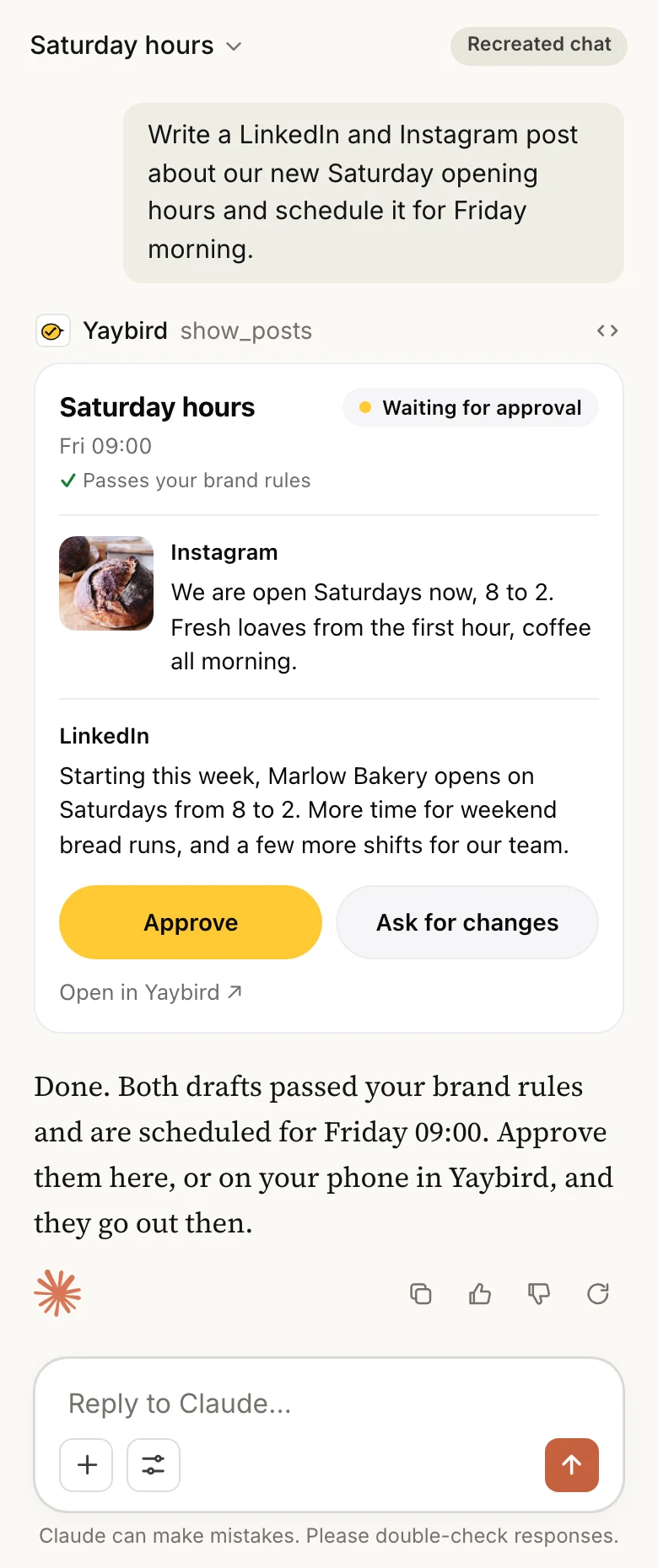
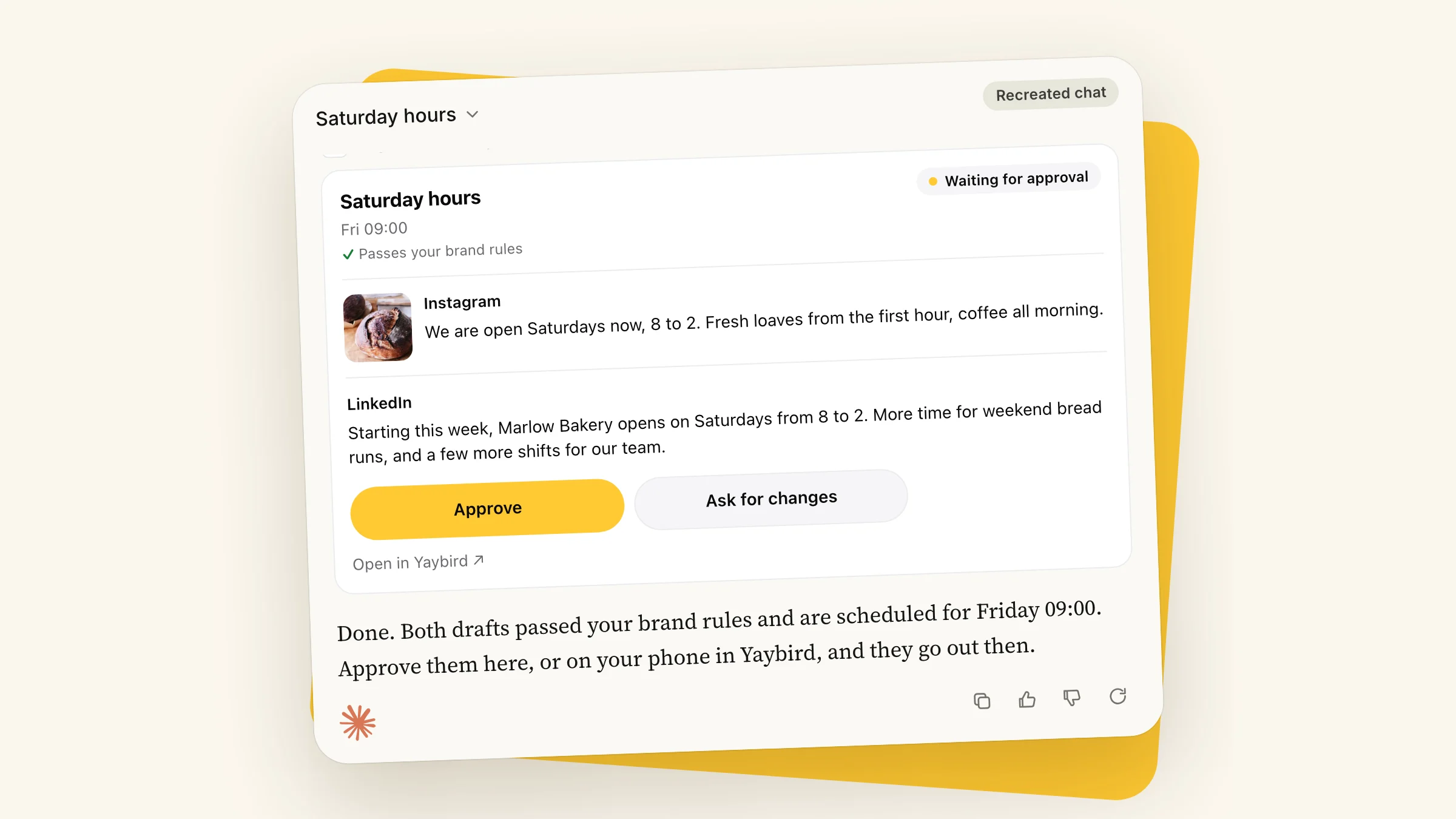
In Claude, after it drafts your posts, Yaybird shows them in a card under its reply:
- Each post as it will go out, for every platform, with its time and what your brand rules found.
- Approve and Ask for changes on each one, and Approve all for the ones that pass every check.
- "Show me my week" shows your next seven days. Open it full screen to approve, unapprove or edit a caption.
The Approve button only shows for someone allowed to approve, on a connection that can draft. In Claude Code, or on a read-only connection, you get a link to the post's page instead. Tapping "Open in Yaybird" in the card asks you to confirm the link, which is Claude's rule for every custom connector. Yaybird also tells you by email or a push on your phone, so you can approve from Yaybird itself when you're not in the chat.
The approval itself works as in ChatGPT: a one-time key Claude never sees, refused if the post changed since you saw it.
When it doesn't work
- Claude doesn't use the tool. Turn it on for that chat: +, Connectors, toggle.
- You can't add a second custom connector. That's the free plan's limit of one.
- There's no way to add a custom connector on Team or Enterprise. Only an Owner can add one. Ask them, then connect it yourself.
- It isn't on your phone. Add it on the web or desktop first. Anthropic says it shows up the next time you sign in on the phone.
- The tool's address changed. You can't edit a custom connector. Remove it and add it again.
- Claude says it posted, but nothing is there. Ask for the live link. A post is live only once the platform confirms it.
Questions
Can Claude post to Instagram for free?
Claude's free plan allows one custom connector, which is enough for one posting tool. The tool may charge on its own, and Instagram still needs a professional account.
Can Claude schedule social media posts?
Claude writes the post and hands it to your posting tool with a time. The tool holds it and publishes then, even with Claude closed. Claude's scheduled tasks, on paid plans, run a prompt on a schedule, such as drafting next week's posts every Monday.
Can Claude Cowork post to Instagram?
Yes, through a connector to a posting tool, the same one you use in chat. Cowork can also click through a site in a browser, but you stay responsible for the site's rules on automated use, so a connector is the safer way.
Can I approve posts from the Claude phone app?
If your posting tool shows an interactive card, yes. Anthropic says those cards work in Claude for iOS and Android. Add the connector on the web or desktop first, then it shows up on your phone.
Drafted with AI from our research, fact-checked against the platforms' docs and our code, and reviewed by Hamza.

About the author
I build Yaybird, where your AI writes the posts and you approve them on your phone.