Why is my Instagram reel not sharing to Facebook?
By HamzaPublished
In short
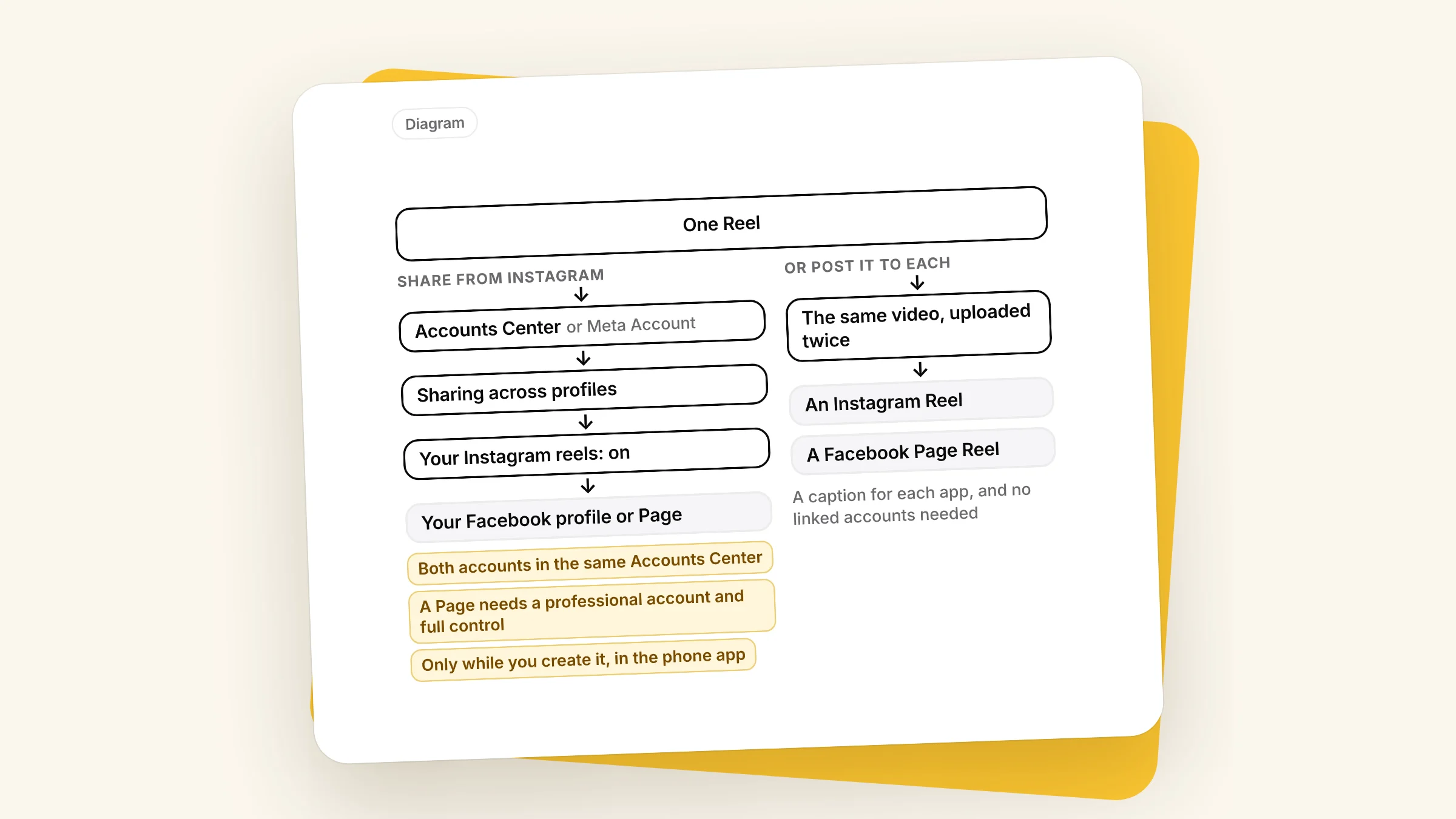
Usually the reels toggle is off, your Instagram and Facebook accounts aren't in the same Accounts Center, or you're sharing to a Page from a personal Instagram account, which Meta no longer allows. A Reel also only shares while you create it, in the Instagram phone app, so one already posted needs Meta's import tool (professional accounts only), or you post it to Facebook yourself.
Why is my Instagram reel not sharing to Facebook?
It's almost always one of three things. The reels toggle is off, your Instagram and Facebook accounts aren't in the same Accounts Center, or you're sharing to a Facebook Page from a personal Instagram account, which Meta no longer allows. Two more catch people out: a Reel only shares at the moment you create it, and only from the Instagram app on a phone.
Check these, in this order
Meta is gradually moving people from Accounts Center to "Meta Account", so your menu may say either. The setting is Sharing across profiles or Cross-profile experiences: Instagram's sharing page uses one, its troubleshooting page the other.
- The reels toggle is on. Profile, Menu, Accounts Center (or Meta Account), Sharing across profiles. Pick your Instagram account under Share from, then the Facebook account or Page under Share to. Your Instagram reels has its own toggle, separate from posts and stories. If it's already on, Instagram says to turn it off and on again to refresh the connection.
- Both accounts are in the same Accounts Center. In Accounts Center, tap Manage account and check your Facebook profile is listed. If it isn't, add it, then share a new Reel. Meta's Accounts Center help says that starting early 2026, some Facebook and Instagram accounts would be moved into different Accounts Centers unless "Logging in with accounts" was on for all of them, and connected experiences like sharing only work inside one Accounts Center. If sharing used to work and stopped this year, this is a likely cause.
- You can share to a Page. Instagram's Page sharing page says sharing from a personal Instagram account to a Facebook Page "is no longer available". You need a professional (Business or Creator) Instagram account, connected to the Page, and full control of the Page.
- You shared while creating the Reel, in the app. Instagram says "You can only share a reel when you create it", and only from the Instagram app for Android or iPhone, not a computer. Before you tap Share, check the toggle next to your Facebook account or Page.
- Your profile isn't restricted. Menu, then Profile status. A restricted profile may not be able to share Reels. And Instagram says the feature "isn't available to everyone", without saying who's left out.
Still nothing? Update both apps, close and reopen them, then log out of both and back in. If that fails, Menu, Help, Report a problem.
Some Reels can't go to Facebook
Meta's import tool page lists Instagram content that isn't eligible for sharing to Facebook:
- Reels already cross-posted to Facebook
- Reels with comment polls
- Reels with branded content
- Reels with very long captions
- Reels with an Add Yours sticker
If your Reel has one of them, post it to Facebook yourself.
Music: none of Meta's sharing pages names music as a reason. Meta does say its licensed music is for "personal, non-commercial use", that some business accounts and regions don't get it, and that a track can be muted later. For a business, Meta's Sound Collection is the safe pick.
It shared, but nobody can see it
- Wrong place. It went to whatever is under Share to: your personal profile or one of your Pages.
- Wrong audience. If you never set a default audience for Facebook Reels, Instagram uses your Instagram privacy: a private account shares to Friends, and so does anyone under 18 (Instagram).
- Recommended isn't shared. A public account can have a Reel "shown as recommended content on Facebook instead" of sharing it. Facebook may show it to people, but it isn't shared to your profile or Page.
For Reels you already posted
With a professional Instagram account connected to a Page (or a Facebook profile in professional mode), Meta can import up to 100 past Reels: Instagram menu, For professionals, Creator tools and controls, Share past reels to Facebook. Pick 5 or fewer and they post now. Pick 6 to 100 and Meta schedules them over the next 30 days, which you can change with Edit schedule. To import to a Page you need full control of it.
Or post it to both yourself
Sharing is one Reel copied to Facebook. The other way is to upload the video to Instagram and to your Facebook Page as two posts.
| Share from Instagram | Post to each yourself | |
|---|---|---|
| Reels you already posted | Only through the import tool | Yes |
| Caption | The Instagram one | One for each app |
| Needs linked accounts | Yes, same Accounts Center | No |
| From a computer | No, phone app only | Yes |
| When it goes out | With the Instagram post | When you pick |
Upload your original video file, not one downloaded from Instagram, which carries an Instagram watermark and your username. Meta's unoriginal content guide says to avoid visible watermarks and content recycled from other apps. Its March 2026 update holds back re-uploads a Page "had no role in creating", not your own video.
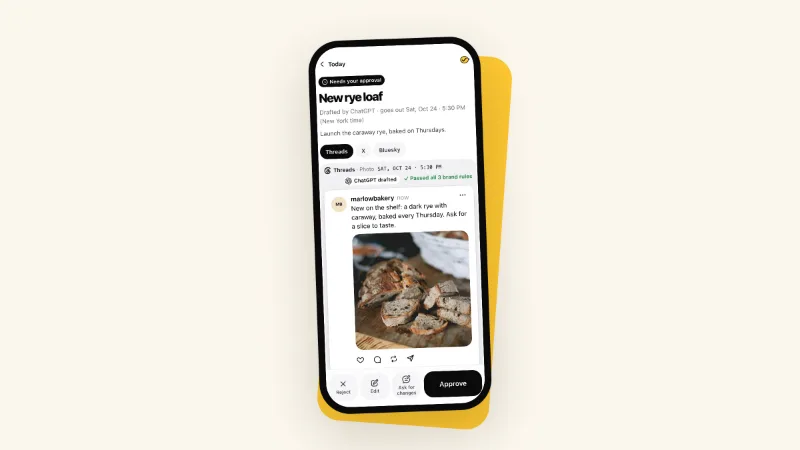
This is how I built Yaybird to work: one video goes out as a Reel on Instagram and a Reel on your Facebook Page, each with its own caption, after you approve it from your phone. Each gets its own live link and its own numbers. Meta only lets apps publish Reels to Facebook Pages, not personal profiles, so a Page is what you connect. See what each takes on the Facebook and Instagram pages.
With any scheduler, two things to know. Meta's Reels page for apps also says a Reel an app publishes to Facebook must be 3 to 90 seconds, so a longer Instagram Reel may not go to Facebook as a Reel. And don't count on your Accounts Center setting to copy a scheduler's Reels to Facebook: Meta's publishing docs for apps don't mention it. Add the Page as its own post. If the Reel didn't post at all, see why a scheduled Instagram post didn't post.
Questions
Can I share an Instagram Reel to Facebook after I posted it?
Not from the Reel itself: Instagram's help center says you can only share a reel when you create it. With a professional Instagram account connected to a Facebook Page, Meta's import tool can bring up to 100 past Reels over (Instagram menu, For professionals, Creator tools and controls, Share past reels to Facebook). Or upload the video to Facebook yourself.
Why does my Reel go to my Facebook profile instead of my Page?
Sharing goes to the account picked under Share to in Accounts Center. To share to a Page, your Instagram account has to be a professional one, connected to the Page, and you need full control of the Page. Personal Instagram accounts can't share to a Page any more.
How do I stop my Instagram Reels sharing to Facebook?
Turn off the toggle next to Your Instagram reels in Accounts Center (Sharing across profiles). For a single Reel, turn off the Facebook toggle before you tap Share. Meta says you can do that even with automatic sharing on.
Drafted with AI from our research, fact-checked against the platforms' docs and our code, and reviewed by Hamza.

About the author
I build Yaybird, where your AI writes the posts and you approve them on your phone.