YouTube Shorts links not clickable? Where to put them
By HamzaPublished
In short
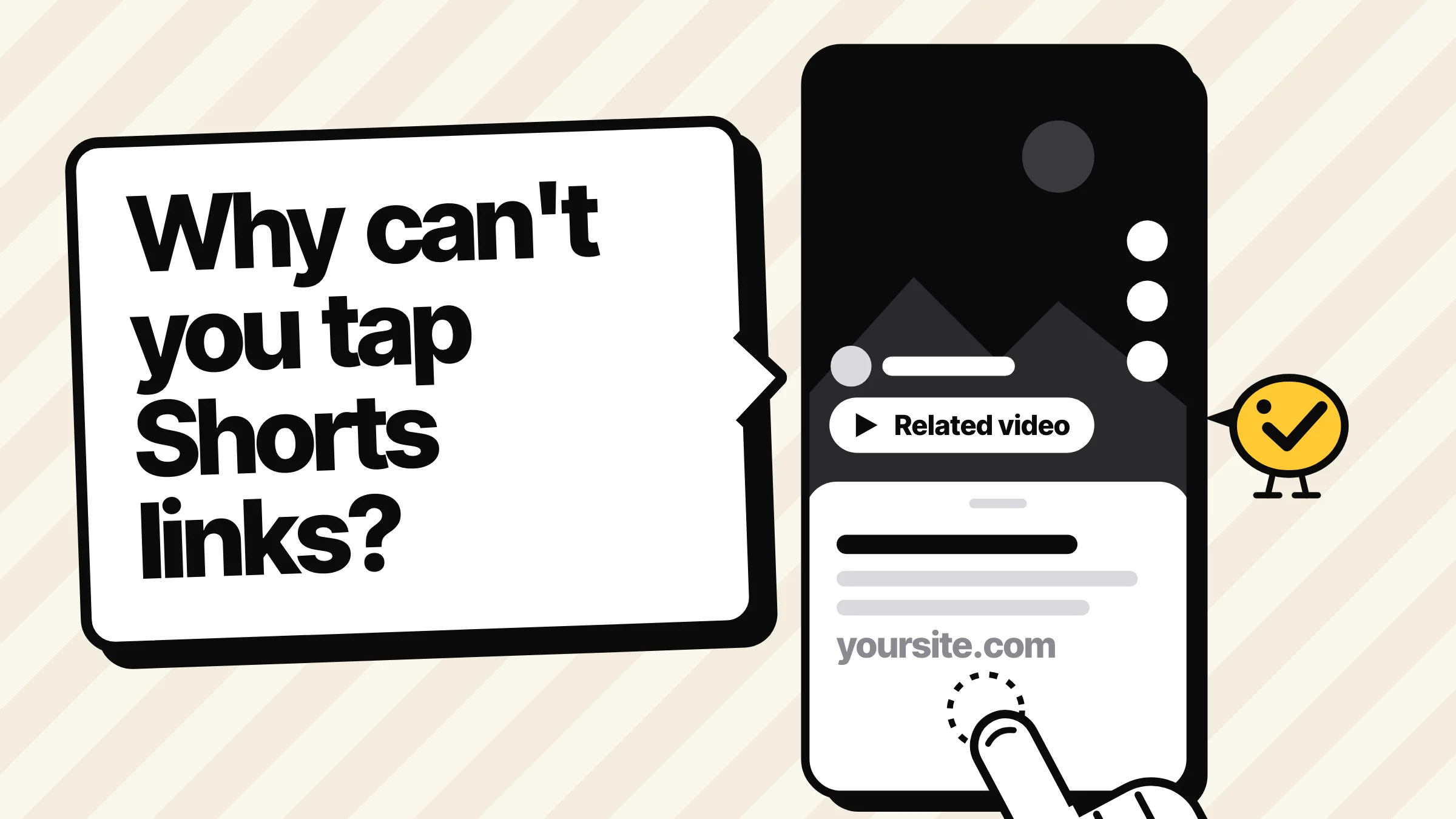
YouTube Shorts links are not clickable in the description or the comments, on purpose. YouTube switched them off from August 31, 2023 to cut spam, and its help center still says so in October 2026. To send people on from a Short, link one of your own videos with the Related video link, put your website in your channel links, or, on a sponsored Short, use the brand deal link to the sponsor's site.
YouTube Shorts links not clickable: why it happens
If you paste a link into a Short's description or comments, it shows as plain text and nobody can tap it. That's not a bug on your channel. YouTube Shorts links are not clickable by design, for everyone, whatever your subscriber count. To send people on, use the Related video link to one of your own videos, the links on your channel page, or, on a sponsored Short, the brand deal link to the sponsor's site.
YouTube announced the change on August 10, 2023: "Starting on August 31st, 2023, links in Shorts comments, Shorts descriptions, and links in the vertical live feed will no longer be clickable." The reason was spam and scam links. Its help page on sharing links with your audiences still says the same today: "URLs placed in YouTube Shorts comments and Shorts descriptions are non-clickable." I found no sign of YouTube bringing them back.
Long videos are not affected. Links in a long video's description and comments still work, once your channel has advanced features (more on that below). And unlike LinkedIn, where putting the link in the first comment is a question of reach, a link in a Short's comments can't be tapped at all, pinned or not.
Where a link on a Short still works
Based on YouTube's table of clickable links, with who can use each:
| Where | Can people tap it? | Who can use it |
|---|---|---|
| A URL in the Short's description or comments | No | Nobody |
| Related video link, below your channel handle in the Shorts player | Yes | Channels with access to the feature (see below); one of your own videos only |
| Channel links on your channel page | Yes | Your channel, up to 14 links |
| Brand deal link, a sticker on the Short and a link in its description | Yes, on phones | A Short in a reported brand deal campaign; it must go to that brand's site |
| Shopping product sticker | Yes | Channels that can tag products with YouTube Shopping |
| @mentions and hashtags | Yes | Anyone, but they only lead to places on YouTube |
For most small businesses, two of these matter: the Related video link and your channel links.
How to link a Short to a long video
The Related video link puts a tappable link below your channel handle while the Short plays. It can point to any of your own videos, Shorts or live streams. YouTube's steps:
- Upload the Short first.
- Sign in to YouTube Studio and open Content.
- Click the Short.
- Pick a Related video from your channel.
- Click Save.
Two catches. The video has to be public or unlisted. And access: the help page says adding one "is only available with advanced feature access," but YouTube's feature access table also ticks it for channels that verified a phone number. If you don't see it, verify your phone number first. For advanced features, YouTube says a channel with enough history likely qualifies automatically, or you can verify with an ID or a video. To check yours, go to YouTube Studio, then Settings, Channel, Feature eligibility.
The trick that gets you to a website: make the long video's description carry the real link, which is clickable there once your channel has advanced features. Then the Short points to the video and the video points to your site. Keep the long video genuinely useful, like the full recipe or the full review. YouTube's spam policy bans "content created solely to drive users off of YouTube".
YouTube's own guide to the feature (July 2026) adds two tips worth taking: say or show the call to action in the last 5 seconds, pointing down to where the link sits, and make the long video start on the thing the Short promised.
Put your website in your channel links
Channel links are the link-in-bio of YouTube. You can add up to 14, and the first one shows near the Subscribe button. In YouTube Studio, go to Customization, then Profile, then under Links click Add link, enter a title and the URL, and click Publish.
Then make the Short say where to go: "Order link on my channel" on screen or out loud. Keep that text away from the edges, where YouTube's buttons and the channel name, title and Related video link sit. Google's safe zone overlay for vertical video ads is a good guide: on a 1080 x 1920 video, keep words out of the top 288 px, the bottom 672 px, the right 192 px and the left 48 px.
How Yaybird handles it
Two of our own Shorts had a link in the description before we caught it. So now, when you post a YouTube Short with Yaybird (a 9:16 video of 3 minutes or less), it checks the description for a link. In the composer, the "things to check" line under the preview opens to "Links in a Short's description can't be tapped". An AI app that runs Yaybird's post check before saving gets the same note with its fix (point people to your channel links or a related long video), so it can change the description before the post reaches you for approval. It's a warning, not a block, since the text still shows.
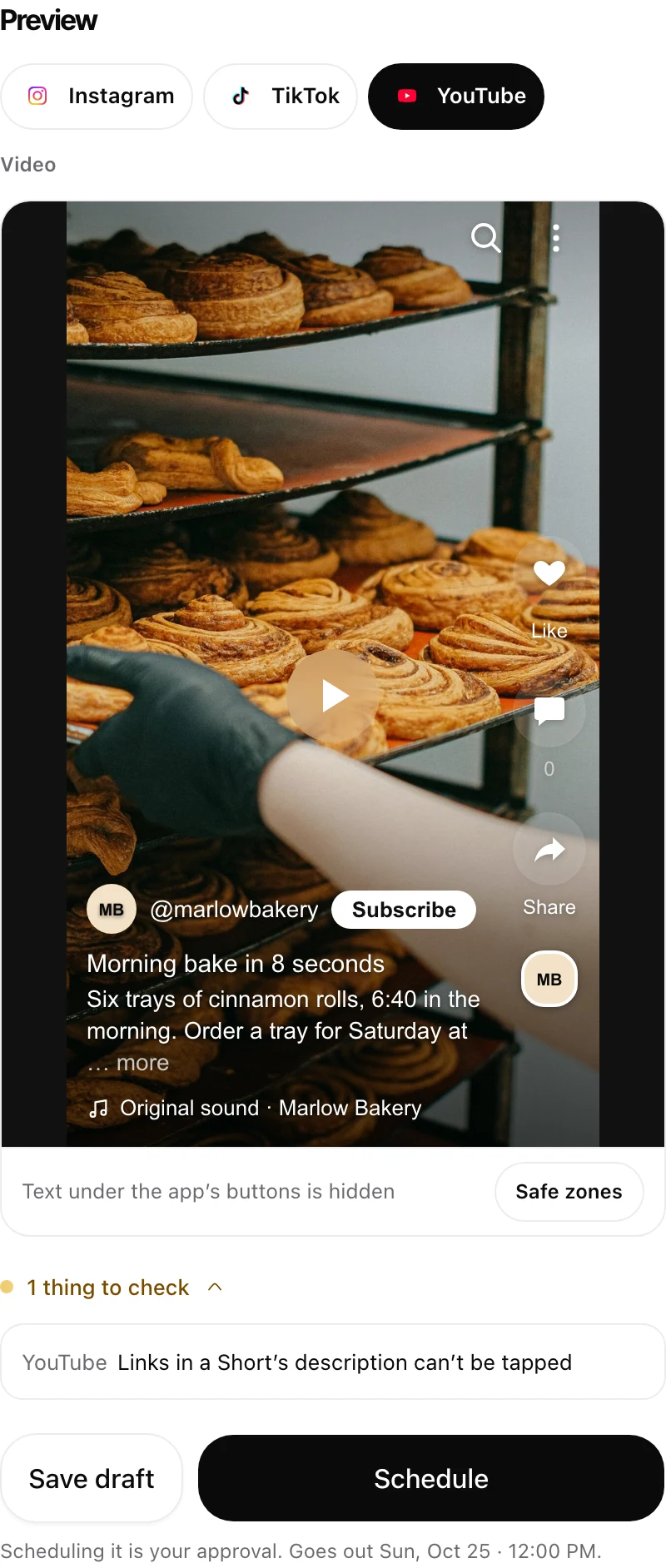
The Related video link itself is added in YouTube Studio once the Short is uploaded. Yaybird doesn't set it for you.
Posting the same video to TikTok and Instagram too? Our free post preview shows how the caption looks on each one.
Questions
Do links in a pinned comment work on Shorts?
No. Pinned or not, a URL in a Short's comments shows as plain text. Links in the comments of long videos still work, once your channel has advanced features.
Why can't I see the Related video option?
It is added after upload, in YouTube Studio under Content, so look there rather than in the upload screen. YouTube's help says it needs advanced features, while its feature table also lists it for phone-verified channels. Check in YouTube Studio under Settings, Channel, Feature eligibility.
Can a Related video link go to someone else's video or a website?
No. It has to be one of your own videos, Shorts or live streams, public or unlisted. For a website, use your channel links.
Do hashtags and @mentions still work in a Short's description?
Yes. YouTube lists mentions and hashtags in Shorts descriptions and comments as clickable. They only lead to other places on YouTube.
Drafted with AI from our research, fact-checked against the platforms' docs and our code, and reviewed by Hamza.

About the author
I build Yaybird, where your AI writes the posts and you approve them on your phone.