LinkedIn link in comments or post: what the evidence says
By HamzaPublished
In short
LinkedIn says a link doesn't cut a post's reach if the post is useful without it, but a post that only exists to send people to the link will reach fewer people. Outside studies contradict each other, and the few tests that compared the post with the first comment are small and old. Put the link in the post when the click is the point, try the first comment when reach matters more, and measure both with tagged links.
LinkedIn link in comments or post: what we know
LinkedIn says a link in the post doesn't cut its reach as long as the post is useful without it. If the post's only job is to get the click, LinkedIn says it will reach fewer people. Outside studies disagree: the two recent ones that split personal profiles from company pages found opposite results. And the only tests I could find that compared a link in the post with a link in the first comment are small, from 2018 to 2023. So: put the link in the post when the click is the whole point. Try the first comment when you care more about people reading the post. Either way, tag the link so you can see which one brings visits.
What LinkedIn itself has said
Here is everything on record from LinkedIn that I could find, newest first.
- July 31, 2026, Rishi Jobanputra on LinkedIn. In Making LinkedIn Conversations More Relevant and Valuable, he wrote that LinkedIn is "limiting the visibility of automated comments" and catches "more than 200k automated comment attempts" a day. Nothing about links in comments.
- March 12, 2026, LinkedIn's newsroom. In How LinkedIn Is Improving the Feed, LinkedIn wrote: "We're reducing recycled and click‑driven posts." It doesn't say what makes a post click-driven, or whether a link alone does.
- March 12, 2026, LinkedIn Engineering. The post on the new feed lists what the model predicts: clicks, skips and long dwells (time spent on a post), then likes, comments and shares. Links are not mentioned as a signal.
- August 2025, Rishi Jobanputra, who works on LinkedIn's feed. In a 40-second video on his own LinkedIn, he answers whether a link hurts reach: "The simple answer is no, we don't intentionally limit the reach of posts with links in it." Then the catch: "if the sole purpose of your post is to drive traffic to that link, well, that's not gonna create much value for the user and it's gonna impact your reach." His written advice: "make sure your post gives enough context that it could stand alone without the link." Matt Navarra, who shared the clip in September, gives his title as Sr. Director of Product Management.
- LinkedIn Help, how the feed works. The feed tapers "low-quality and unsafe content" and looks at how constructive the conversation is. Nothing about links.
So a link on its own isn't punished, but a post that is mostly a link is. On links in comments, LinkedIn has said nothing I could find.
What the studies measured
Most of these come from companies that sell scheduling tools, as Yaybird does. That doesn't make them wrong, but the small tests are loosely controlled and the big ones don't publish their methods.
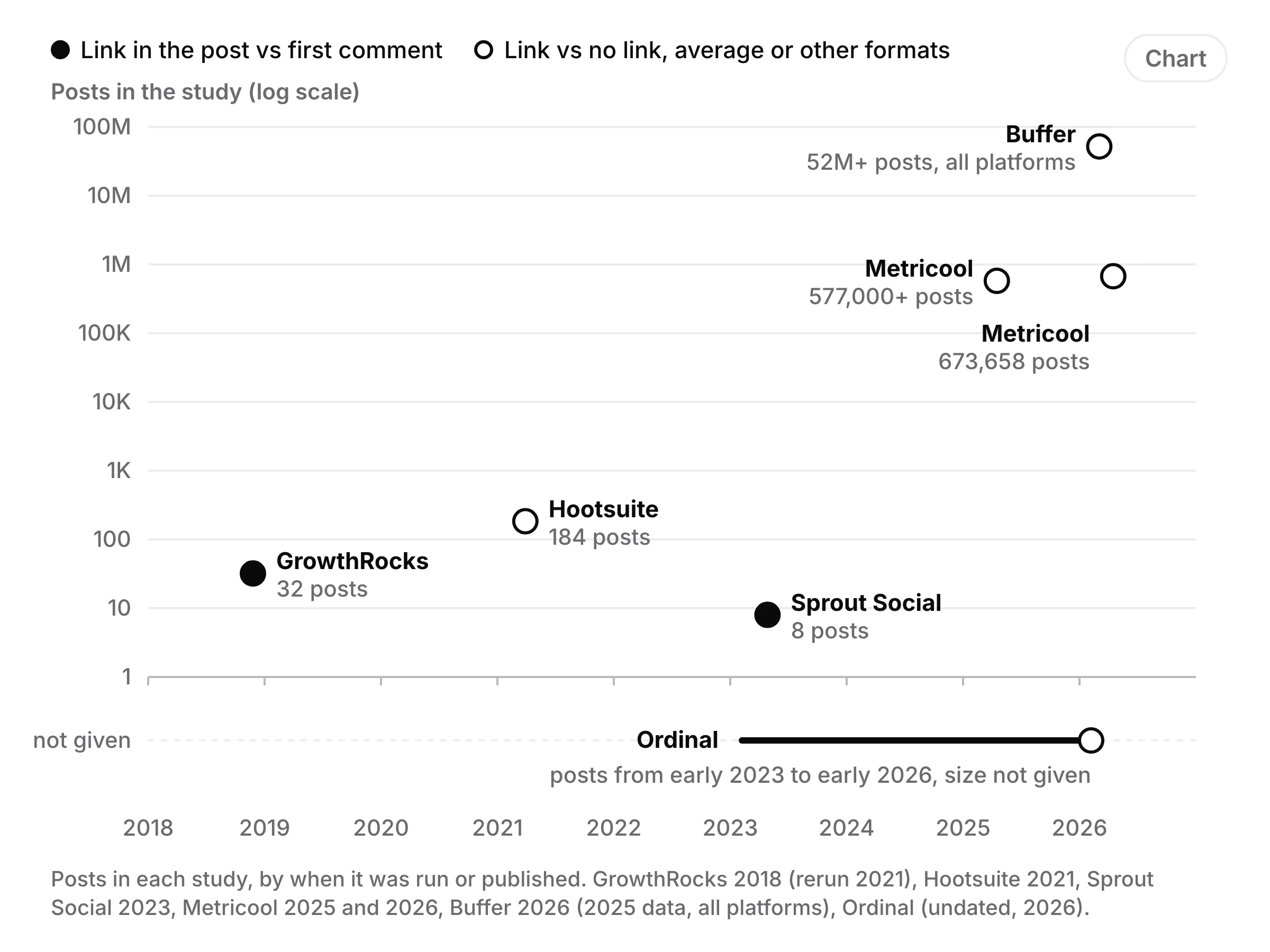
| Study | Sample | What it compared | What it found | Limits |
|---|---|---|---|---|
| GrowthRocks, test from late 2018, rerun 2021 | 32 posts from 4 profiles; the rerun 2 accounts over 8 weeks | Post vs first comment | Comment: 2.9x the reach and 2.7x the clicks; rerun 1.8x reach, 6x clicks | Tiny, one agency's accounts, years before today's feed |
| Hootsuite, March 2021 | 184 posts on its own account, 60 days | Link vs no link | Posts without links got about 6x the impressions; engagement rate about the same (4.12% without, 4.19% with) | Only 7 posts had no link; ran during a campaign |
| Sprout Social, April 2023 | 8 posts on its own account, one month | Post vs first comment | Comment: about 8,136 impressions vs 3,309; 261 engagements vs 141 | The two sets had different copy; no click data, since Sprout says LinkedIn's analytics can't count clicks on comment links |
| Metricool, April 2025 | 577,000+ posts from about 48,000 company pages | Link vs no link | Links: 13.57% more interactions, 4.9% more views | Company pages only; method not published |
| Metricool, April 2026 | 673,658 posts from 63,108 accounts | Link vs average | Company pages: 51% more impressions with a link. Personal profiles: 27% fewer impressions, 20% fewer interactions | How "average" is worked out is not published |
| Buffer, March 2026 | Part of 52M+ posts on 10 platforms, 2025 data | Format vs format | Link posts: 3.81% median engagement rate, text posts 3.18% | Buffer counts clicks in LinkedIn's engagement rate, which may favour link posts |
| Ordinal, undated, 2026 | Posts it reviewed from early 2023 to early 2026; size not given | Link vs no link | 26.5% lower median reach with a link, mostly on company pages, growing from 5% in 2023 to 42% in 2025 | Sample size and method not published |
Ordinal also cites a LinkPost study of 358,000 posts from 2026 (median 448 impressions with a link, 705 without). I couldn't find LinkPost's own write-up, so I've left it out of the table. Richard van der Blom's algorithm report is quoted everywhere, but it's a paid report I haven't read, so I've left its numbers out too.
What it adds up to
The big studies contradict each other. Metricool's 2026 data says a link helps company pages (51% more impressions) and hurts personal profiles (27% fewer). Ordinal says the opposite: company pages take the hit and profiles show almost none. On company pages alone, Metricool's 2025 data found links slightly ahead, while Hootsuite's 2021 test on its own account found link posts got a sixth of the impressions. Different accounts, years and methods, none published in full. Anyone who quotes you one number for "the LinkedIn link penalty" is picking a study.
The first comment trick is barely tested. The only tests I found that compared the two placements are GrowthRocks (2018, rerun 2021) and Sprout (2023). Their published counts add up to 40 posts, and both favoured the comment. Everything since compares a link against no link, which is a different question.
Reach isn't what you want, clicks are. A link in the comments sits under the post, sometimes below other people's comments, so readers have to go looking for it. Ordinal says a comment link "gets far fewer clicks" than one in the post, without numbers. The accessibility writer Per Axbom argues that "link in the comments" also makes the link harder to reach for people with visual, cognitive or motor disabilities.
When to use each
Put the link in the post when the click is the point: a job ad, an event sign-up, a sale. Follow LinkedIn's own advice and write the post so it makes sense without the link, then put the link near the end. When you share a link, LinkedIn shows a preview card with an image frame of 1200 x 627 pixels.
Put the link in the first comment when you mostly want people to read the post, and the link is extra. Say so in the post ("link in the first comment") and post the comment straight away, so early readers find it. LinkedIn doesn't publish a comment length limit; 1,250 characters is the figure most guides give. One unknown if a tool posts it for you: LinkedIn's help says it may limit the visibility of comments when it detects "use of an automation tool". Schedulers can post the comment through LinkedIn's Comments API, and LinkedIn doesn't say whether that counts.
Leave the link out when the post can do the job alone. Keep your site on your profile, or in your Page's details and its button, so people who want more can find it.
Test it on your own account
The only numbers that count are yours. Here is a test anyone can run:
- Pick 10 or more posts of the same kind over a few weeks, and alternate: link in the post, then link in the first comment.
- Tag each link with UTM tags, for example
?utm_source=linkedin&utm_medium=social&utm_content=post-name, so your site's analytics shows which post sent each visit. This matters most for comment links: Sprout noted in 2023 that LinkedIn's own analytics doesn't count clicks on them. - After a week, compare each post's impressions on LinkedIn and its visits on your site.
Sprout and GrowthRocks used 4 to 16 posts per side, which is why their results are shaky. More posts give you a clearer answer.
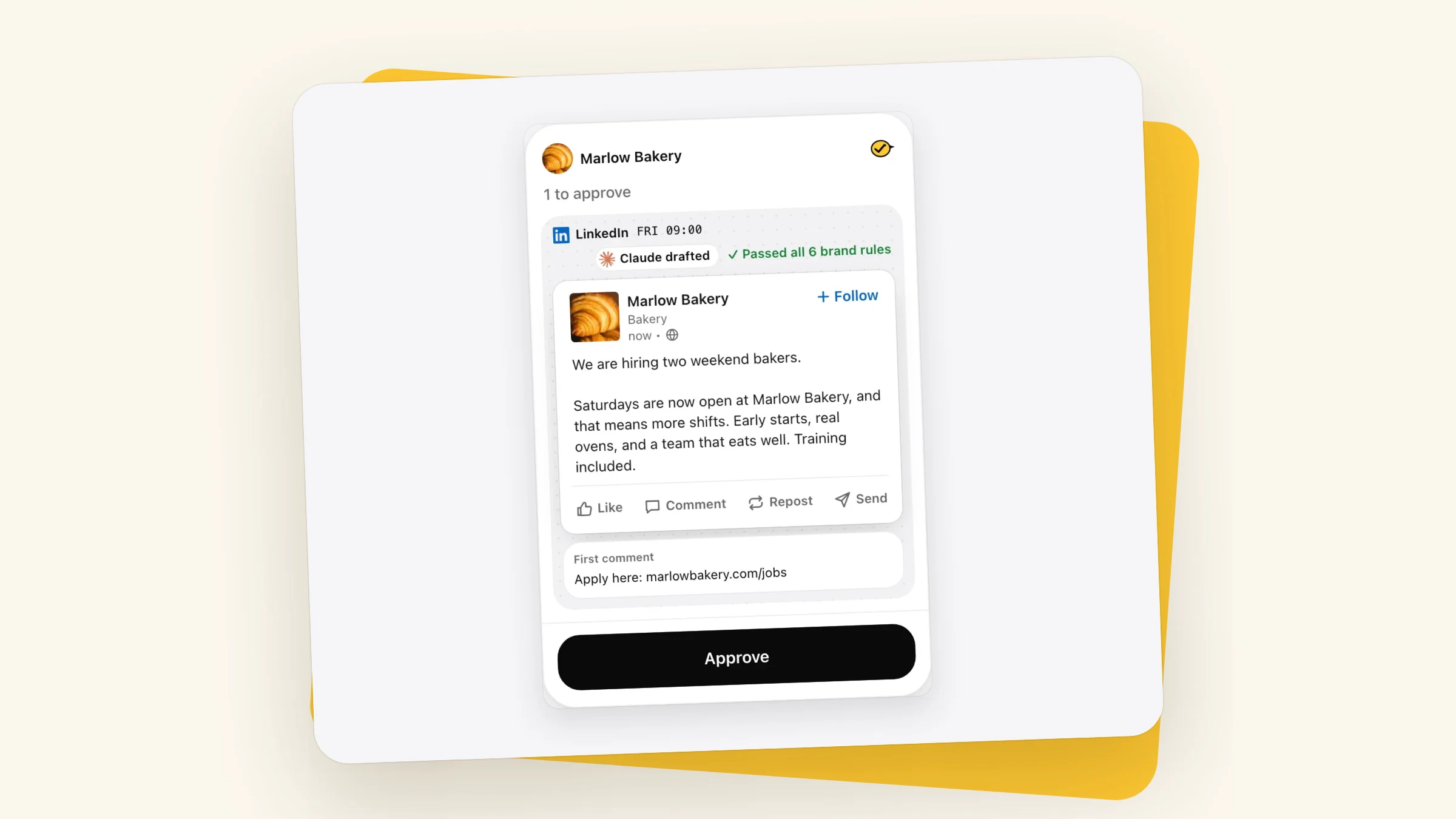
This is part of why I built Yaybird the way I did. When your assistant drafts a LinkedIn post, it writes {link} in the post or in the first comment, and Yaybird fills in your site's link tagged with utm_source=linkedin, utm_medium=social and a utm_content for that post. If your brand has a website, Yaybird expects that link on every LinkedIn post, and a link in the first comment counts. The first comment goes up right after the post, checked against your brand rules and the 1,250 limit, and by default nothing goes out until you approve it. For LinkedIn's other limits, see what Yaybird checks on LinkedIn, and before you post, check the first lines in the social media post preview. If you also style your hook, read when bold text hurts on LinkedIn first.
Questions
Does LinkedIn penalize links in comments?
LinkedIn hasn't said anything about links in comments that I could find. Some guides say comments with links are now shown up to 80% less, but none gives a source you can check (one points to a paid report), so treat that as unproven.
Should I add the link by editing the post after it goes live?
John Espirian wrote in 2023 that this worked less well than it did in 2020 and 2021, and that a link added by editing shows no preview card. I found nothing newer, so treat it as old advice.
How long can a LinkedIn first comment be?
LinkedIn doesn't publish a comment limit. Most guides give 1,250 characters, which is what Yaybird checks. A post can be up to 3,000.
Can I schedule the first comment on LinkedIn?
Yes, with a scheduler that posts it for you. Hootsuite added this for LinkedIn Pages and profiles in July 2026, and Yaybird posts the first comment right after the post goes out.
Drafted with AI from our research, fact-checked against the platforms' docs and our code, and reviewed by Hamza.

About the author
I build Yaybird, where your AI writes the posts and you approve them on your phone.