How to add LinkedIn bold text (and when you shouldn't)
By HamzaPublished
In short
LinkedIn posts have no bold button. To bold words in a post, you paste special Unicode letters that look bold, made with a text formatter. Real bold is in LinkedIn articles and newsletters. Bold a few words at most, and keep names, keywords, hashtags and words with accents plain.
Can you bold LinkedIn text?
LinkedIn posts have no bold button. The LinkedIn bold text you see in your feed is not formatting at all: it is a different set of letters that look bold, pasted in from a formatter. Real bold is in LinkedIn articles and newsletters, whose editor has bold, italic and lists. So yes, you can bold words in a post, but bold one line or a few words, never a whole post, and keep anything people search for in plain letters.
How to bold text in a LinkedIn post
- Write your post, in LinkedIn or anywhere else.
- Paste it into a formatter such as our free LinkedIn text formatter.
- Select the words and tap Bold (or Italic, or Bold italic). Tap again to undo.
- Copy it and paste it into a new LinkedIn post. The bold letters come with it, on a computer and in the phone app.
Pasting a draft from ChatGPT or Claude? Those write in Markdown, and a LinkedIn post shows Markdown as it is, stars and all. The formatter spots it and offers one button that turns **bold** into bold letters, *italic* into italic, # headings into bold lines, dashes into • bullets, and links into the words followed by the address in brackets. Once your post has styled letters, it reminds you that screen readers and search may not read them. It runs in your browser, so your post is never sent anywhere.
What LinkedIn bold text really is
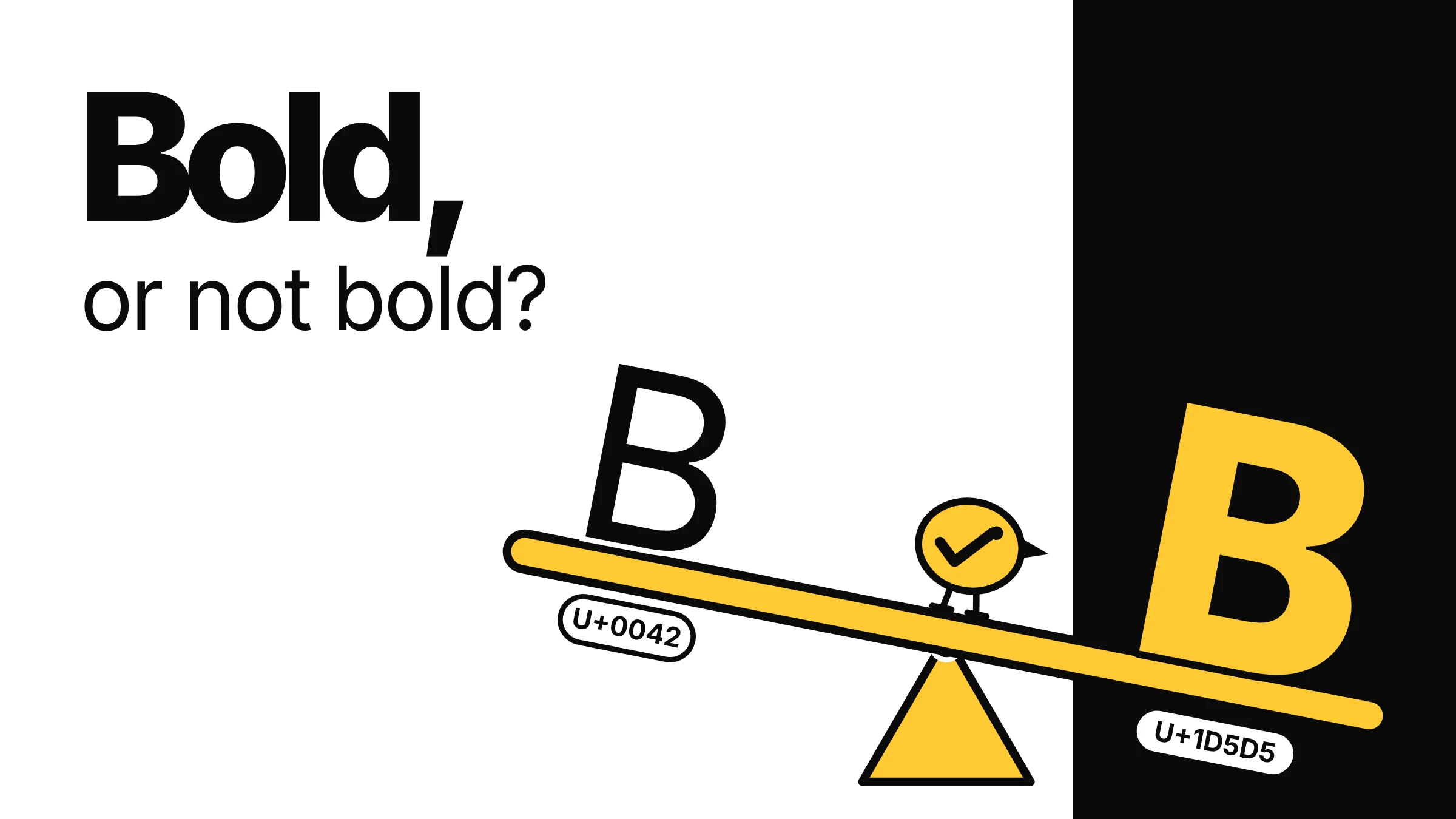
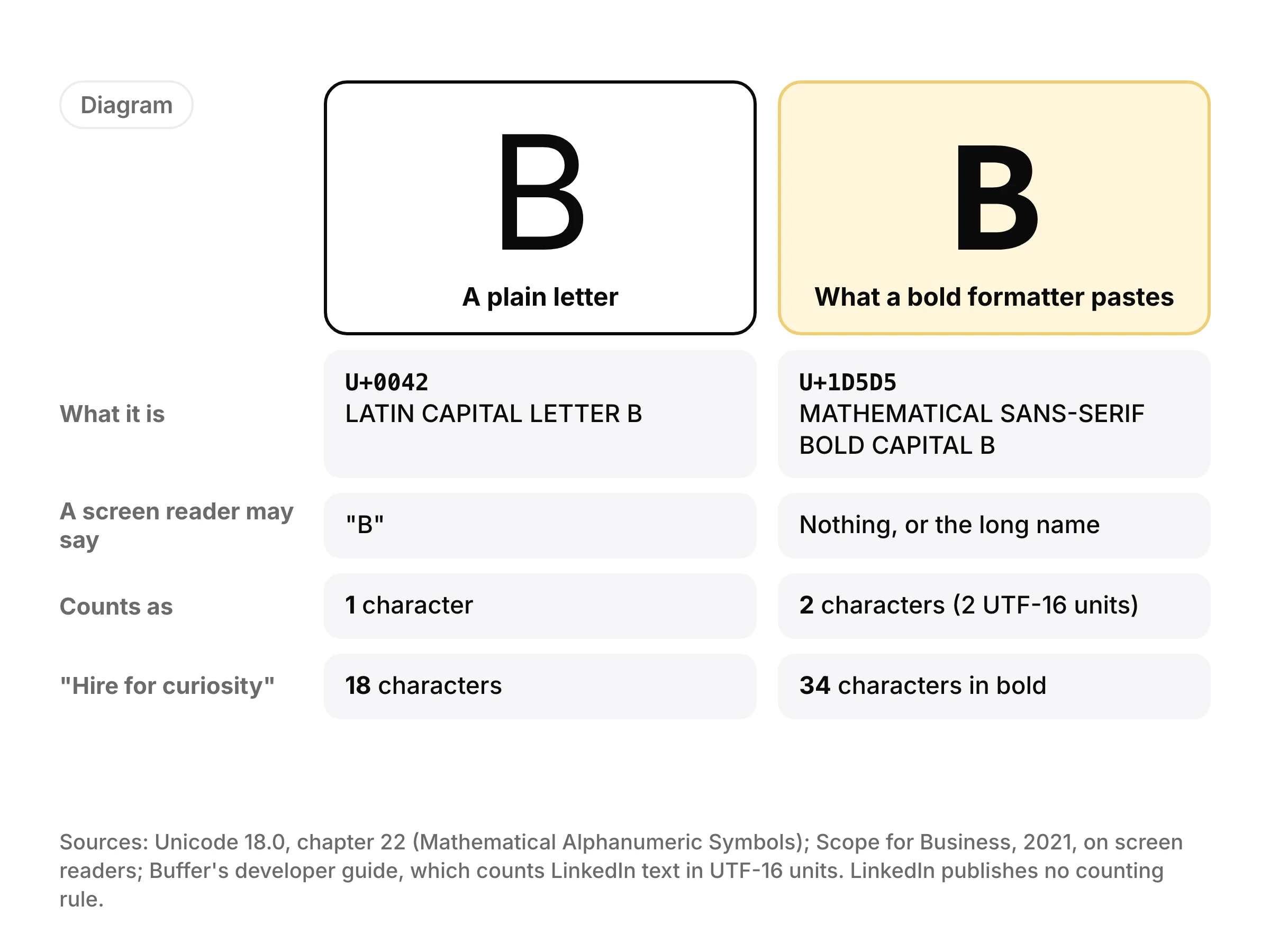
Unicode, the standard that gives every character a number, has a block of letters made for maths: bold, italic, script and more, from U+1D400 to U+1D7FF. A bold 𝗕 is not a B in a heavier font. It is its own character, named "MATHEMATICAL SANS-SERIF BOLD CAPITAL B" (our formatter uses the sans-serif set, the closest to LinkedIn's own type). That is why it stays bold wherever you paste it: it is just text.
Unicode itself says these characters should not be used to style ordinary text (section 22.2). LinkedIn's own posting format has no bold either: the format LinkedIn's API uses for post text knows plain text, mentions and hashtags, nothing else.
| Style | Looks like | What has a styled version |
|---|---|---|
| Bold | 𝗛𝗶𝗿𝗲 𝗳𝗼𝗿 𝗰𝘂𝗿𝗶𝗼𝘀𝗶𝘁𝘆 | A to Z, a to z, 0 to 9 |
| Italic | 𝘏𝘪𝘳𝘦 𝘧𝘰𝘳 𝘤𝘶𝘳𝘪𝘰𝘴𝘪𝘵𝘺 | A to Z, a to z (no italic digits) |
| Bold italic | 𝙃𝙞𝙧𝙚 𝙛𝙤𝙧 𝙘𝙪𝙧𝙞𝙤𝙨𝙞𝙩𝙮 | A to Z, a to z (digits come out bold) |
When you shouldn't use bold
Whole sentences or whole posts. A screen reader may skip these letters or read each one by its long name. Scope, the UK disability charity, gives the example of a styled "t" read out as "mathematical sans-serif script t", and embeds a 2019 clip of Apple's VoiceOver reading styled text. A few words are fine. A bold paragraph is unreadable to them.
Words people search for. Your name, your company, a product, a skill. To a computer, 𝗰𝘂𝗿𝗶𝗼𝘀𝗶𝘁𝘆 and curiosity are different strings. LinkedIn doesn't say whether its search matches them. John Espirian wrote in 2019 that a search for the plain words won't find a post that has them in bold, and I found nothing newer. LinkedIn also says its feed now uses a large language model to match posts to readers, and it hasn't said how that model reads these letters. Keep the words that say what your post is about plain.
Hashtags and mentions. A hashtag in bold letters is a different string from the plain tag people follow, and LinkedIn doesn't say it treats them as one. Add hashtags and @mentions in LinkedIn itself, in plain letters.
Words with accents. Unicode's bold Latin letters are plain A to Z only: there is no bold é, ñ, ü, ç or ß. So "Café" in bold comes out as 𝗖𝗮𝗳é, with the last letter plain. Our formatter leaves accented letters plain. You could stack a separate accent mark on a bold letter, but where it lands depends on the reader's font. In French, Spanish, German or Portuguese, bold a phrase without accents, or leave it plain.
What bold costs you in characters
A LinkedIn post can be up to 3,000 characters, and LinkedIn doesn't say how it counts them. Many apps count text in UTF-16 units: a plain letter is one unit, a bold or italic letter is two. Buffer's developer guide counts LinkedIn posts that way, so a post written all in bold reaches 3,000 at about 1,500 letters. "Hire for curiosity" is 18 characters plain and 34 in bold.
Our formatter counts each styled letter as 2 too, the safe side. Yaybird counts a LinkedIn caption the same way when an assistant drafts a post for you, and by default nothing goes out until you approve it from your phone.
A rule that works
Bold the one line that matters most: the hook, or the takeaway. Use line breaks and • bullets for structure, since those are ordinary characters a screen reader reads as usual. Before you post, check the first lines in a social media post preview, since that is all most people see before "…see more". For LinkedIn's other limits, such as the first comment and links, see what Yaybird checks on LinkedIn.
Questions
How do I bold text on LinkedIn from my phone?
The LinkedIn app has no bold button either. Open a text formatter in your phone's browser, write or paste the post, select the words, tap Bold, copy, then paste into a new post in the LinkedIn app. The bold letters come with the text.
Is there a keyboard shortcut for bold on LinkedIn?
Not in posts, since posts have no bold at all. In the article and newsletter editor you can select text and make it bold.
Can I bold letters with accents, like é, ñ or ü?
Not cleanly. Unicode's bold Latin letters are plain A to Z only, with no accented versions, so an accented letter stays plain and the word comes out half bold. Choose words without accents to bold, or leave them plain.
Does bold work in LinkedIn comments?
The same Unicode letters paste into a comment like any other text, with the same limits for screen readers and search. Use them even more sparingly there.
Does bold text help or hurt my reach on LinkedIn?
LinkedIn hasn't said, and I found no test that shows it either way. What is known is that screen readers and search may not read the bold letters, so bold a few words and keep the words your post is about plain.
Drafted with AI from our research, fact-checked against the platforms' docs and our code, and reviewed by Hamza.
About the author
I build Yaybird, where your AI writes the posts and you approve them on your phone.