TikTok photo carousel size, safe zone and caption limit
By HamzaPublished
In short
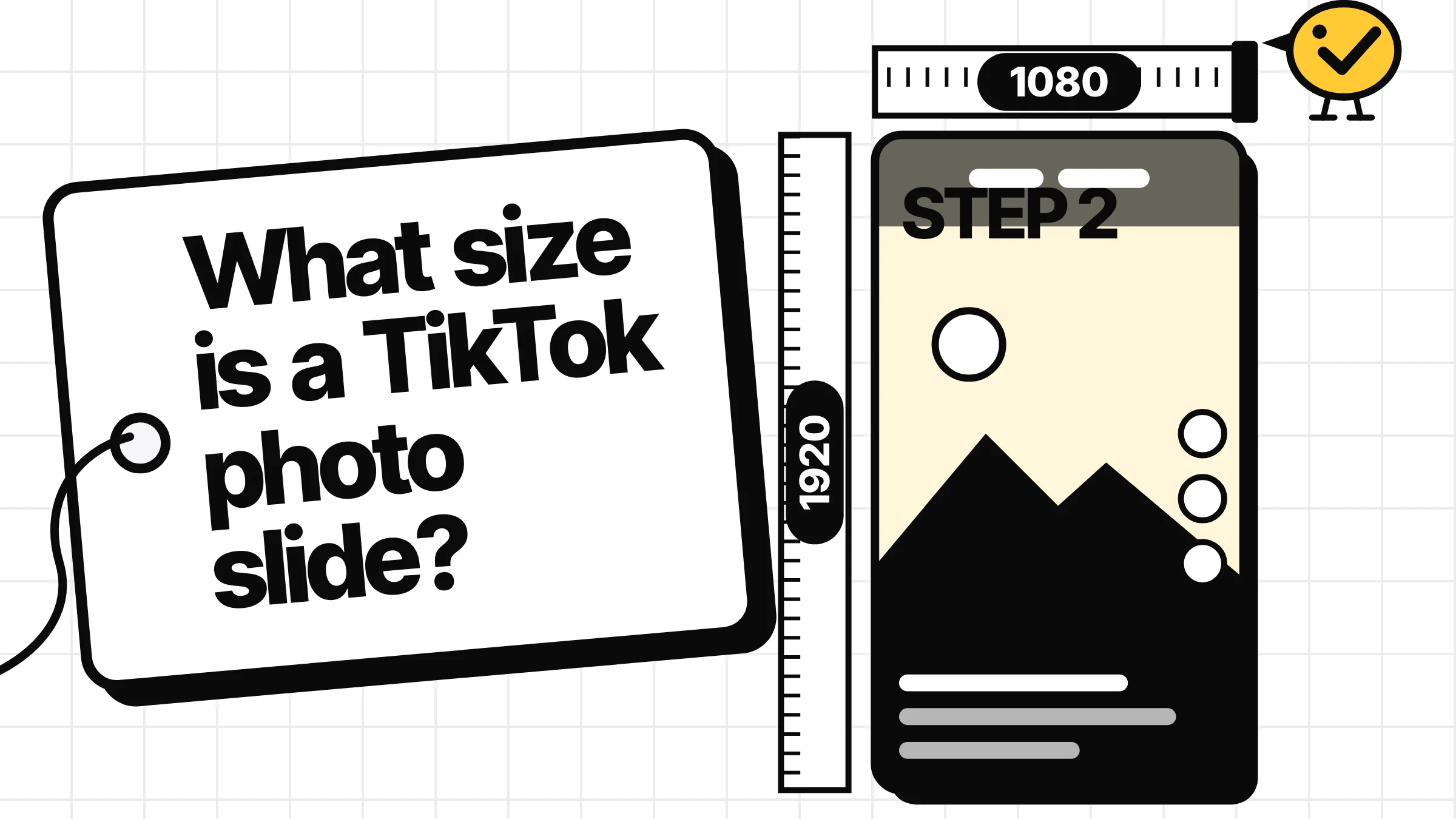
Make every slide 1080 x 1920 pixels (9:16), as a JPEG or WebP under 20 MB, with up to 35 photos in one post. Keep words out of the top 269 px, where TikTok's tabs sit, and away from the bottom and right edge. Through TikTok's API a photo post's caption takes up to 4,000 characters, a video's only 2,200.
TikTok photo carousel size, in one table
The right TikTok photo carousel size is 1080 x 1920 pixels per slide, a vertical 9:16 picture, saved as JPEG or WebP under 20 MB. You can put up to 35 photos in one post. TikTok draws its tabs over the top of every slide and its caption and buttons over the bottom, so keep your words in the middle. If you post from a scheduler, the caption limit depends on the post: 4,000 characters for photos, 2,200 for videos.
| What | Use | Where it comes from |
|---|---|---|
| Slide size | 1080 x 1920 px (9:16) | TikTok's API caps photos at 1080p; its ads playbook says go vertical |
| File | JPEG or WebP, up to 20 MB each | TikTok's media transfer guide |
| Photos per post | Up to 35 | TikTok's help center and photo post API |
| Keep words out of | Top 269 px, bottom 660 px, 120 px at each side, right 180 px from 841 px down | Our numbers: TikTok's video ad template with a deeper top (TikTok publishes none for photo mode) |
| Caption (description) | 4,000 characters | TikTok's photo post API |
| Title | 90 characters | Same page |
| Video caption, to compare | 2,200 characters | TikTok's direct post API |
What TikTok itself says about slide size
TikTok's file rules are in its developer docs. The media transfer guide says photos must be JPEG or WebP, 20 MB at most each, and no bigger than 1080p. It gives no aspect ratio.
The shape comes from TikTok's ads side. Its carousel ads playbook recommends vertical 9:16 and warns that "other aspect ratios may result in black cut-off in feed." A photo post shows each slide full screen, so the same advice holds. So 1080 x 1920 is the size to use: 9:16 at 1080p, the largest TikTok takes.
One file gotcha: TikTok's API takes JPEG and WebP only, not PNG. Some schedulers accept PNG anyway (Zernio, which publishes our posts, lists it for TikTok photos). If yours doesn't, export JPEG.
TikTok publishes no safe zone for photo mode
I looked through TikTok's help center, developer docs and ads specs. The only safe zone I found is a downloadable template for video ads, on its video ads specifications page. The carousel ads specs list sizes and no safe zone, and the playbook tells you to keep key text "within the safezone" without saying where it is.
Guides fill the gap and disagree, most of all about the top. SocialKit gives a bottom and right margin and nothing for the top. House of Marketers says to avoid the top 10%. Postiz reserves the top 260 px.
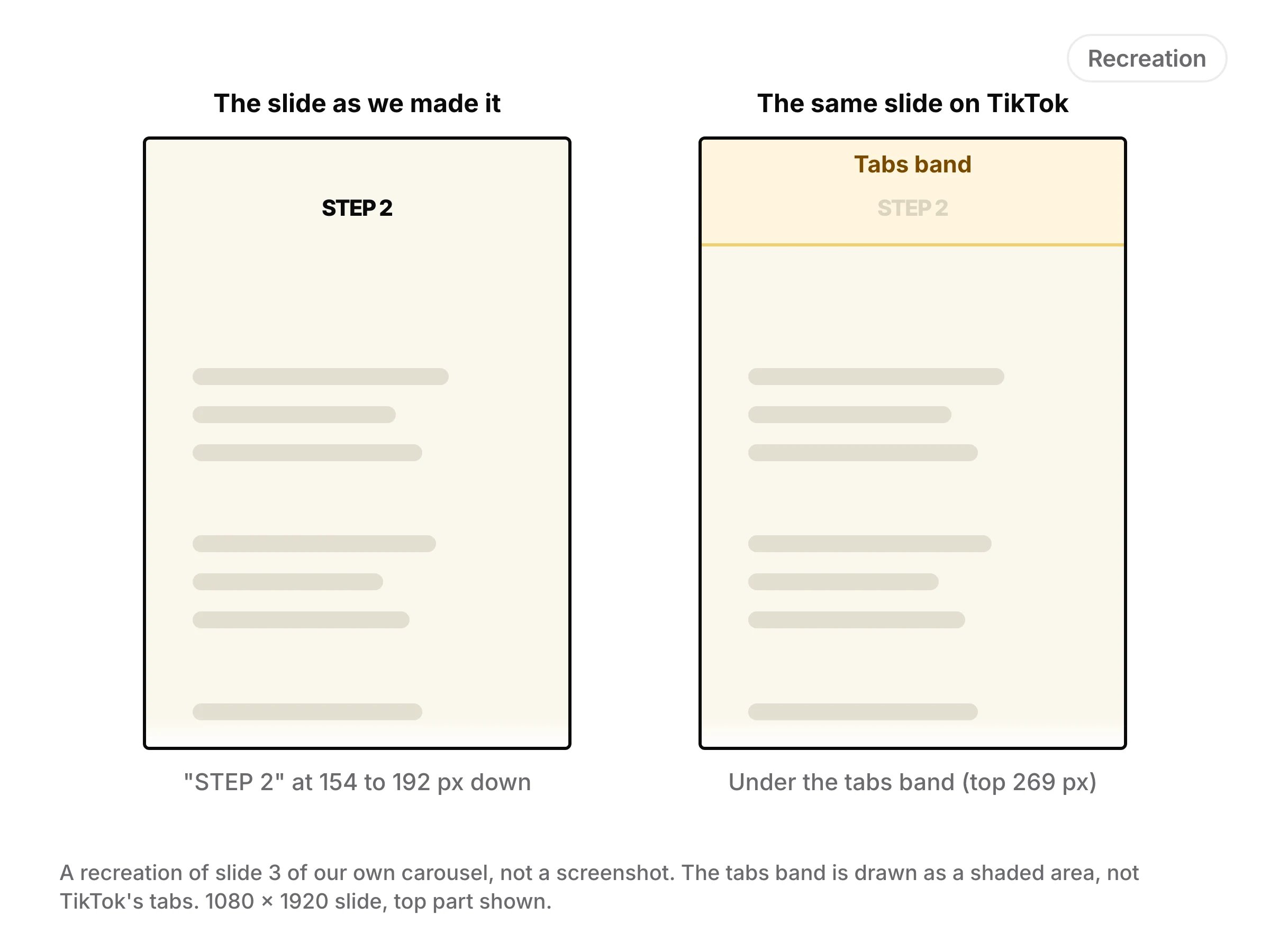
The top is the one that hurt us. We posted a step by step carousel on TikTok with each slide's headline near the top edge. On slide 3, "STEP 2" sat between 8% and 10% of the height, about 154 to 192 px down a 1080 x 1920 slide. On TikTok it sat wholly under the Following and For You tabs, where nobody could read it. TikTok kept the slide at its full 1080 x 1920, so the words weren't cropped off. They were covered. With no top margin, as SocialKit has it, that headline would have gone out the same way.
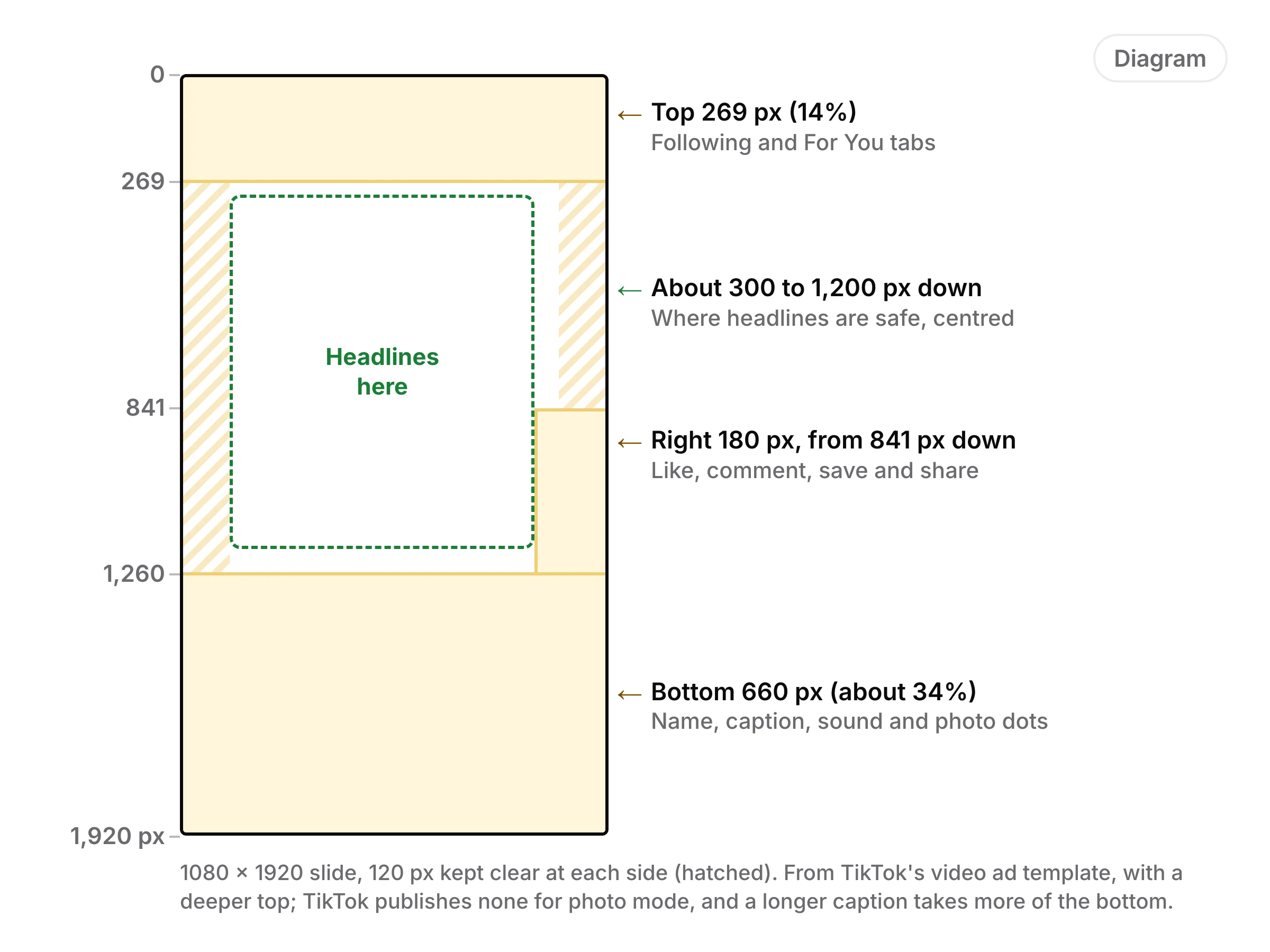
So we start from TikTok's video ad template and take a deeper top: 14%, the high end of what others have measured for photo posts. On a 1080 x 1920 slide, keep text, faces and logos out of:
- The top 269 px (14%): the Following and For You tabs.
- The bottom 660 px (about 34%): the name, caption, sound and the photo dots.
- 120 px at each side.
- The right 180 px from 841 px down: the like, comment, save and share buttons.
In plain terms: put headlines between about 300 px and 1,200 px down, centred. TikTok's ads page also says the safe zone depends on caption length, so a longer caption takes more of the bottom.
Caption limit: 4,000 or 2,200 depends on the post
Guides contradict each other here, and both numbers are real. They apply to different posts.
- Photo posts: TikTok's photo post API takes a description of up to 4,000 characters and a separate title of up to 90.
- Videos: the direct post API takes a caption of up to 2,200 characters, sent as the video's title. There is no separate description.
So when a guide says schedulers are stuck at 2,200, that is true for videos and wrong for photo posts. In the app, most guides say captions reach 4,000 for both kinds of post. I couldn't find that number in TikTok's help center, so check the counter in your own app before you write a long one.
Hashtags and mentions count against the limit, and TikTok's API counts in UTF-16 units, so most emoji count as two characters. Only the start of the caption shows over the slide before "more", so put the point first. Paste a caption into our free post preview to see where TikTok folds it and how it counts with a photo.
Posting photo carousels from a scheduler: what goes wrong
- The post comes out private. TikTok's API guide says everything posted by an app TikTok hasn't audited is private. If your first scheduled post shows only to you, that is why, and only the tool's maker can fix it.
- It lands in your inbox, not your profile. TikTok's photo API has two modes: one posts straight to your profile, the other sends the post to your TikTok inbox to finish in the app. Know which one your tool uses before you schedule a launch.
- The caption gets cut. A tool that applies the video limit to everything stops a photo caption at 2,200.
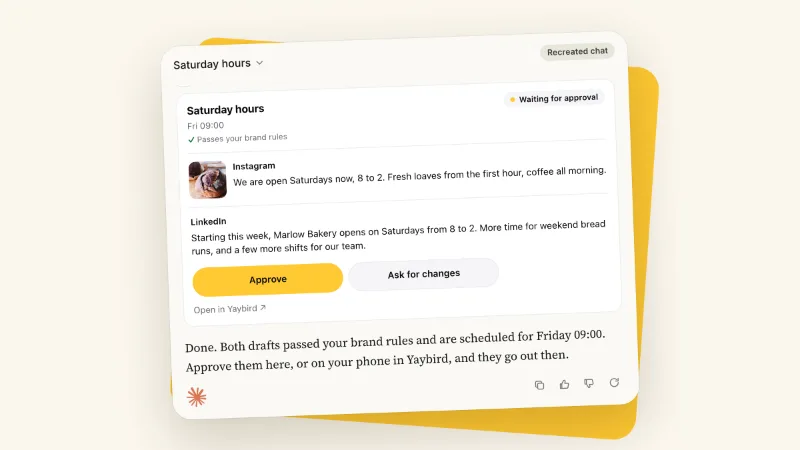
I built Yaybird, and its TikTok checks follow those rules: 4,000 characters for a photo post's caption, 2,200 for a video's, up to 35 photos. It posts to TikTok directly only after a person has approved that exact post. If a brand approves posts on its own, the TikTok post goes to your inbox as a draft instead, because TikTok's direct post needs a person who saw the post and agreed to publish it. More in how approvals work.
How to fix a slide that lost its words
- Check each slide at full size. Draw a line 269 px from the top and 660 px from the bottom. Anything outside the lines is at risk.
- Move the words down. Headlines from about 300 px down, the important line in the middle third.
- Or shrink the picture into the safe area. Scale the whole slide so it sits below the top 269 px, centred across, and fill the space above with the slide's own edge colour so it reads as one picture. This also turns a square or 4:5 slide into a 9:16 one.
- Check the caption against the photo limit, not the video one.
After our own post I built this check into Yaybird. Each 9:16 slide is cut into bands (the top, two at the bottom and the right edge), and a vision model reads the words in each. Words under TikTok's tabs show as a warning with a one-tap fix that does step 3: a 1080 x 1920 copy with the picture below the tabs on its own edge colour. When an AI app like Claude or ChatGPT drafts the post, it is refused until the slide is fixed. The rest of TikTok's rules are on our TikTok page.
Questions
How many photos can a TikTok carousel have?
Up to 35. TikTok's help center says so for the app, and its photo post API takes up to 35 photo URLs in one post.
What happens if my TikTok photos are not 9:16?
TikTok doesn't say for photo posts. Its carousel ads playbook recommends 9:16 and warns that other shapes may show with black bars, so make every slide 9:16 and don't leave it to the app.
Can I mix photos and videos in one TikTok carousel?
Not through TikTok's API. Its photo post endpoint takes photos only, so a scheduler sends a video as its own post.
Do hashtags count toward the TikTok caption limit?
Yes. Hashtags, mentions, spaces and emoji are all part of the caption, and TikTok's API counts in UTF-16 units, so most emoji count as two.
Drafted with AI from our research, fact-checked against the platforms' docs and our code, and reviewed by Hamza.

About the author
I build Yaybird, where your AI writes the posts and you approve them on your phone.