Social media approval app for clients: approve by phone
By HamzaPublished
In short
A good social media approval app lets a client see each post as it will look on each platform, approve it or ask for changes from their phone, get told when something is waiting, and see only their own brand. No-login links differ by tool: in some the client can approve from the link, in others only view and comment, so check the vendor's own docs before you promise a client no-login approval.
What a social media approval app for clients has to do
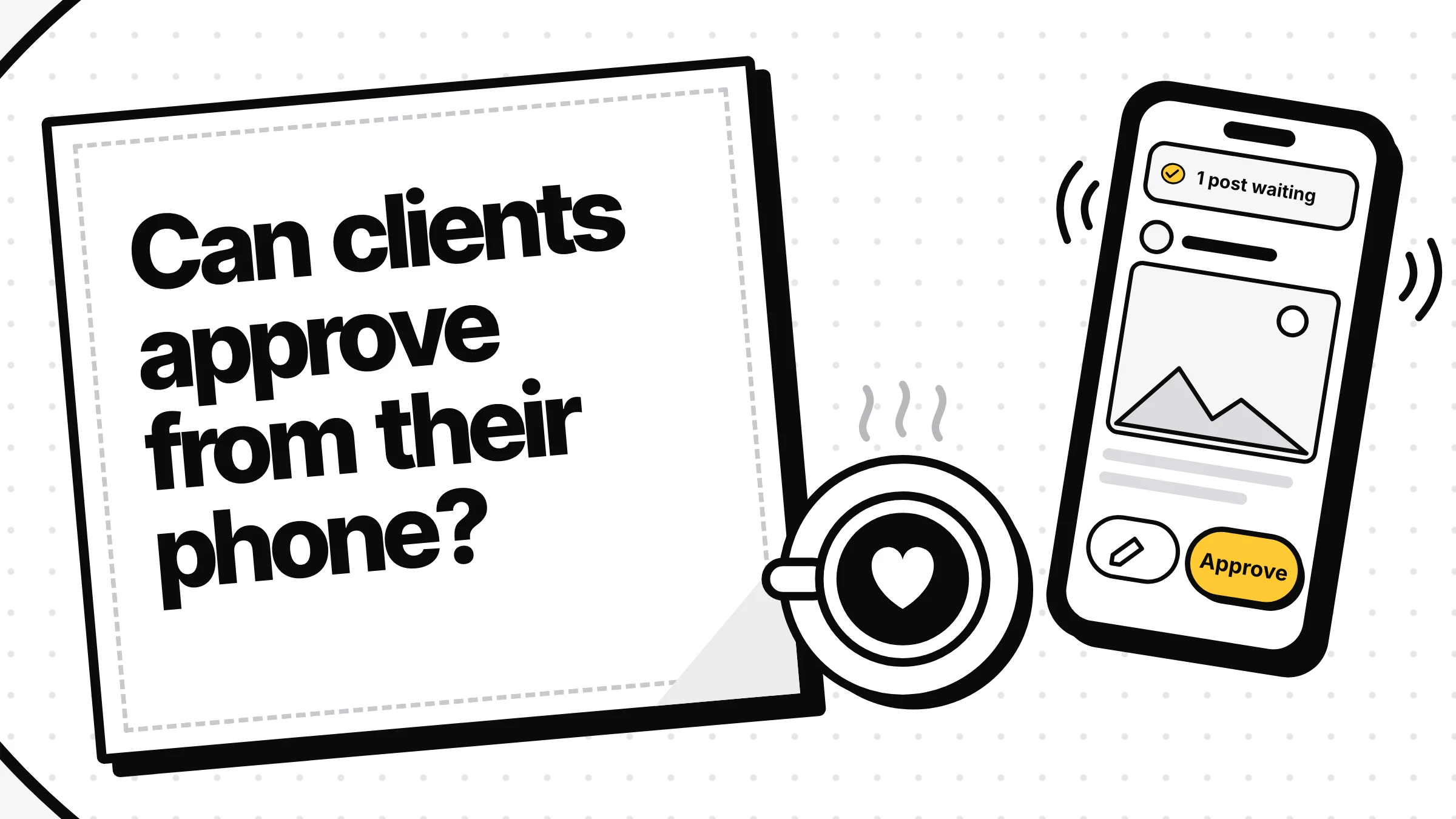
A social media approval app for clients has one job: get a clear yes or a clear "change this" on every post before it goes out, from someone who is busy and on their phone. That means the client sees each post the way each platform will show it, approves or asks for changes in a tap or two, is told when something waits, and sees only their own brand. If the post changes after they approve it, the approval should end.
One thing to check before you pick a tool: "no login" can mean less than it sounds like.
"No login" doesn't always mean "approve without an account"
Many approval tools let you send a client a link they can open without an account. What they can do from that link differs, and the vendors' own pages are the place to check:
| Tool | Open a link with no account | Approve from that link | Source |
|---|---|---|---|
| Planable | View and comment | No. Approving needs a Planable account with the Approver role; approver accounts are free | Planable's approvals guide |
| Vista Social | Shared calendar link | Yes, when the client's step in your approval workflow is set to Shared calendar; it asks for their name or email. Advanced plan and up | Vista Social's help page on client approvals |
| SocialPilot | Calendar link sent by email | Yes, it says "content approval without having to login" | SocialPilot's approvals page |
| Yaybird | No guest link | Needs a sign-in: a link or code from an email, or Google, no password | Below |
Planable is the one people get wrong. Its own guide says: "Public share links allow viewing and commenting, but not approving." Yet SocialPilot's comparison lists Planable as having no-login client approval. I go with Planable's page about Planable.
A link that approves has a real upside: nothing to set up for the client. The downside is that the approval belongs to the link, not to a person. A forwarded email, or a link pasted into a group chat, works for whoever opens it (Vista Social lets you add a password and an end date to the link). For a client who approves twice a month, that may be fine. For a brand where "who said yes" matters, a sign-in tied to their email is worth one extra step.
What to look for, whichever app you pick
- The real post, per platform. The caption cut where Instagram cuts it, the picture in its crop, the link, the account and the time, in the client's time zone or clearly labelled.
- Approve and "ask for changes" side by side. A comment box alone turns approvals into a thread you have to read and act on.
- The approval ends if the post changes. Planable's "Lock after approval" setting makes an approved post read-only until someone unapproves it. Check what your tool does when someone edits an approved post.
- No answer means no post. If the client doesn't reply in time, the post should wait, not go out.
- One brand per client. A client should never see another client's calendar, in the app or in an email.
- A phone that buzzes. Email at least; push if the client wants it.
If the posts are drafted by an AI app, the approval step has a few more tests, covered in how to approve AI-generated posts.
How client approval works in Yaybird
I built Yaybird so that a person, not a link, approves each post. Here is what that looks like for a client, from the code:
-
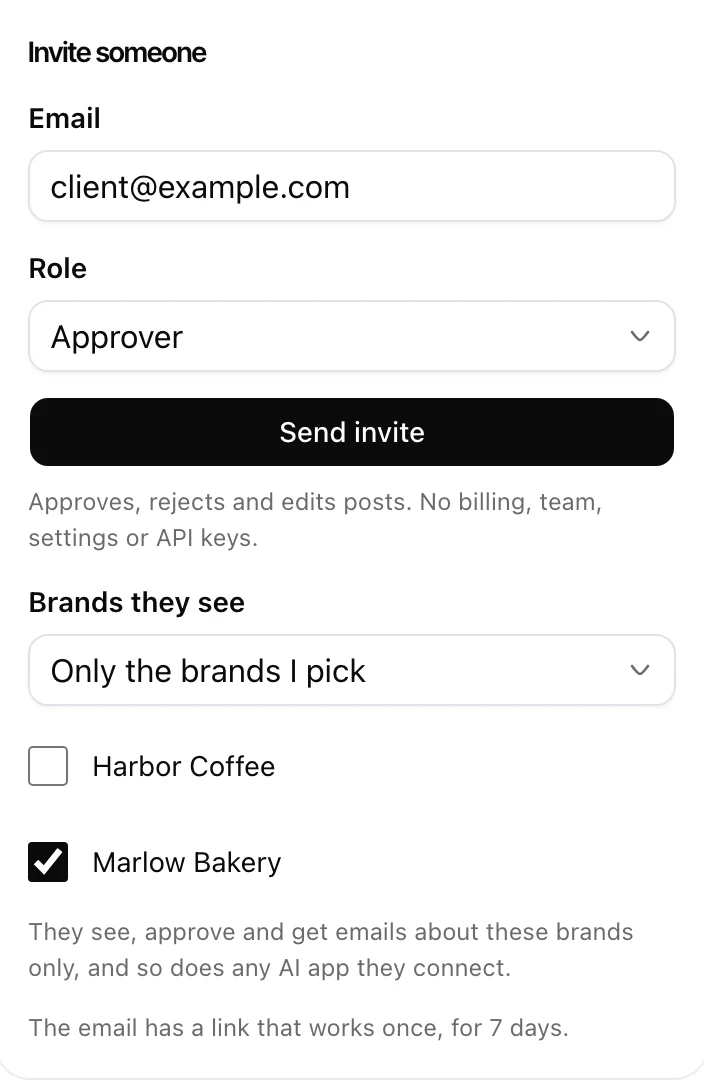
You invite them. In Settings, Team, enter their email, pick Approver, and limit them to their brand. The invite link works once, for 7 days. They open it, tap Join, and they're signed in. No password, no sign-up form.
-
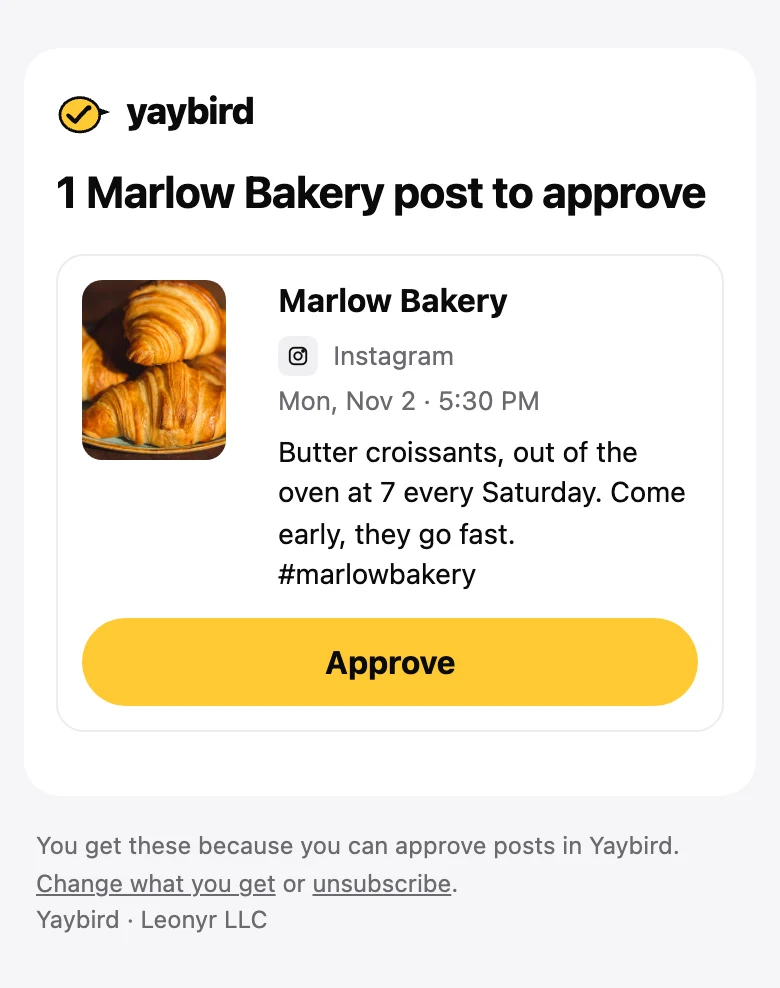
They're told when a post waits. By email, either right away (at most one every 15 minutes) or as one digest a day at 08:00 in your workspace's time zone, as they choose. On a phone where they turned it on, also by push.
-
One tap opens the post. The email's Approve button opens the post's approval page. If they've been there in the last 30 days, they're still signed in. If not, they sign in with a link or a 6-digit code from an email, or with Google, and land back on that post.
-
They decide. The page shows each platform's preview, when it goes out (with the city), and whether it passes your brand rules. Then Approve, Ask for changes (for the whole post or one platform, with a note), Edit or Reject. After Approve there's an Undo.
-
The approval covers that version. If your AI app edits the post afterwards (anything but moving it later), it goes back to waiting, and the next email says it changed after they approved it. An edit someone on your team makes in Yaybird keeps it approved, so tell your client if you change a post they already said yes to. If a post is still waiting at its time, it doesn't go out. When they approve it late, Yaybird asks: post now, or a new time.
What a brand-limited approver can't do: see other brands (their posts answer as not found, the same as a made-up link), get emails about them, or touch billing, the team, settings or connected accounts. The approval page and the emails come in their language: English, French, Spanish, Portuguese or German.
There's more on the phone side on the approvals page.
The limits, so you can plan
- Approvers are on Business only. Business is $79 a month: 3 brands, 15 accounts and 3 people, you included. Creator ($29) and Free are one person, so no approver seat. See Yaybird pricing.
- A pending invite holds a seat until it's accepted, revoked or expires.
- Every approver needs their own email. There is no shared guest link. If your client wants to approve without signing in at all, a tool with approval links (Vista Social or SocialPilot, above) fits that better. Planable's free approver accounts suit a client list longer than our 3 seats; Yaybird vs Planable compares the rest.
Whatever you use, test it once as the client: open the email on your phone, approve a post, then edit it and see whether the approval holds. Two minutes of that tells you more than any feature list.
Questions
Does my client need a Yaybird account to approve?
Yes. You invite their email as an approver and the invite link signs them in, with no password and no form. Later they sign in with a link or a 6-digit code from an email, or with Google, and stay signed in on that phone for 30 days from their last visit.
Can a client see my other clients' posts?
Not if you limit them to their brand when you invite them. In Yaybird another brand's post then answers as if it didn't exist, and they only get emails and pushes about their own brand.
Can clients get a push notification on an iPhone?
Yes, once they add Yaybird to their Home Screen on iOS 16.4 or later and turn on push in Settings, Notifications. In a plain Safari tab, iPhones don't allow web push, so they get the email.
Drafted with AI from our research, fact-checked against the platforms' docs and our code, and reviewed by Hamza.

About the author
I build Yaybird, where your AI writes the posts and you approve them on your phone.