Does cross-posting reduce reach? What each platform says
By HamzaPublished
In short
No platform says it cuts the reach of your own photo or video uploaded fresh to each app. What they cut is reposts of other people's work and posts that carry another app's watermark. Pinterest and X also push back when the same thing is uploaded over and over on their own app.
Does cross-posting reduce reach? Not for your own work
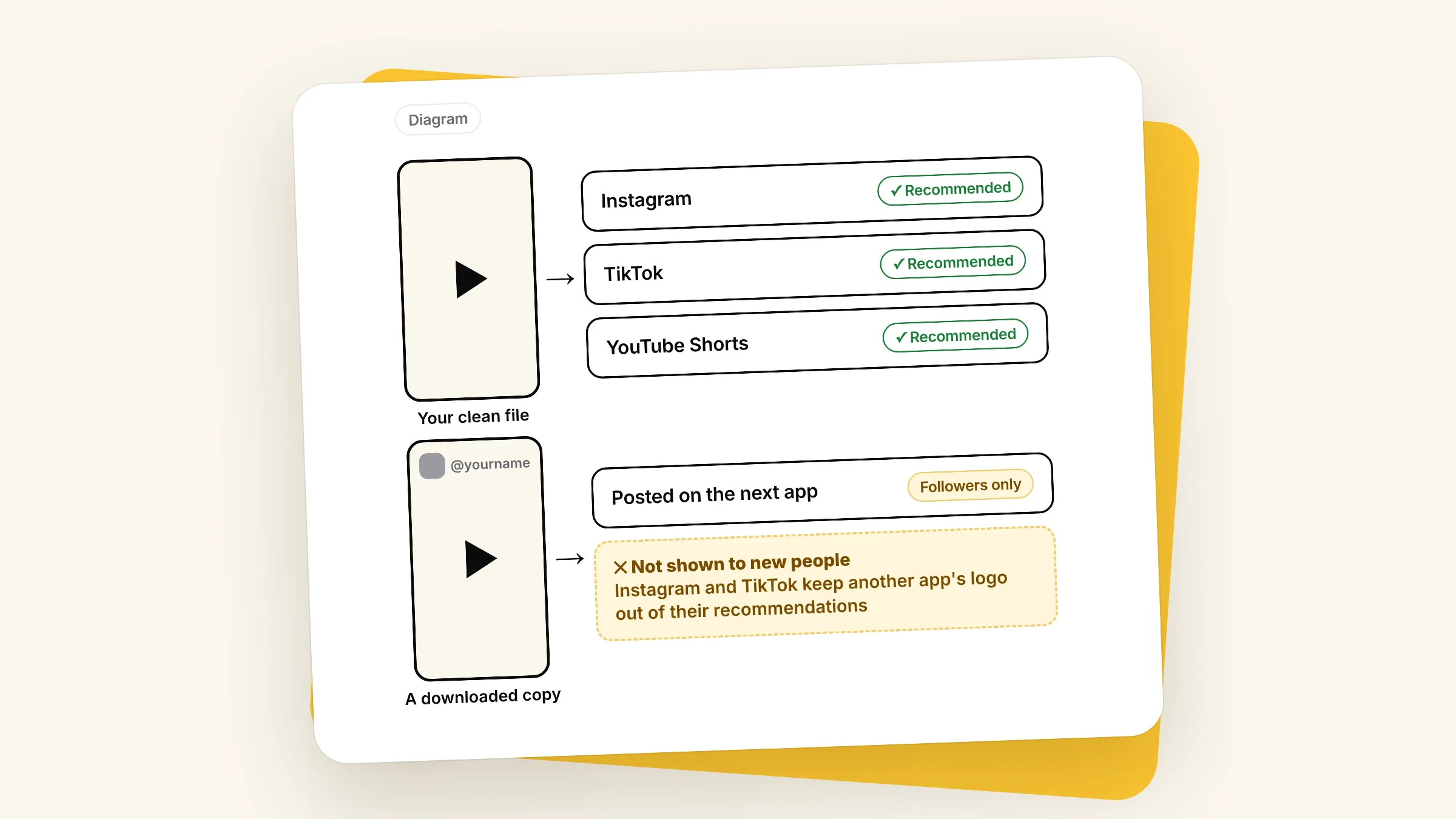
No, not when you post your own work. None of the eight platforms I checked says that putting the same photo or video on several apps cuts its reach. What they do cut is two other things: reposting other people's work, and posts that show another app's watermark, like the TikTok logo on a Reel. Pinterest and X also push back on uploading the same thing again and again inside their own app. So the question isn't whether you cross-post. It's which file you post.
What people mean by cross-posting
Posting natively. You upload the same clean file to each app yourself, or through a scheduler, with a caption written for each one. Where a platform defines original, your own photos and videos count, and none of them says posting them somewhere else first changes that.
Reposting a download. You save your video out of TikTok or Instagram and upload that copy somewhere else. The saved copy usually has the first app's logo and your handle burned into the picture. The next app sees another app's watermark, and that is what most of the rules below are about.
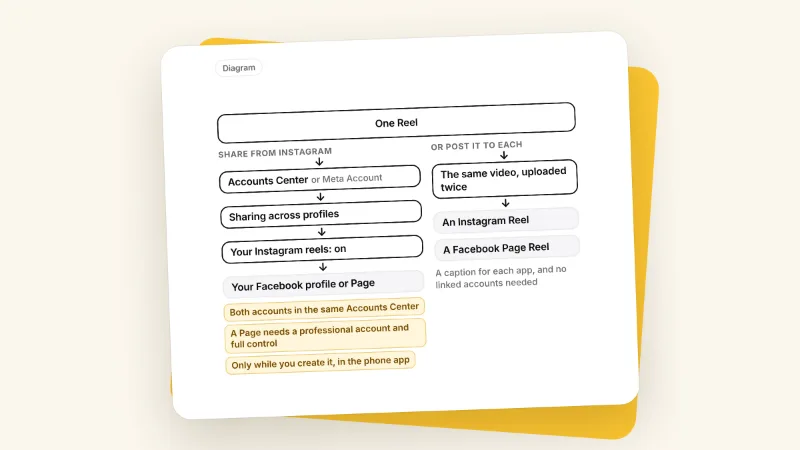
Using a share button. Meta lets you share an Instagram post straight to your Facebook Page. Its crossposting page sells this as a way to reach Facebook's different audience, and says nothing about each post's reach. The only test I found, a small one by Agorapulse on 3 Pages with 7 posts each, got less reach from shared photos than from posting natively on Facebook. It's small and not recent, so treat it as a hint.
What each platform says about reposts and watermarks
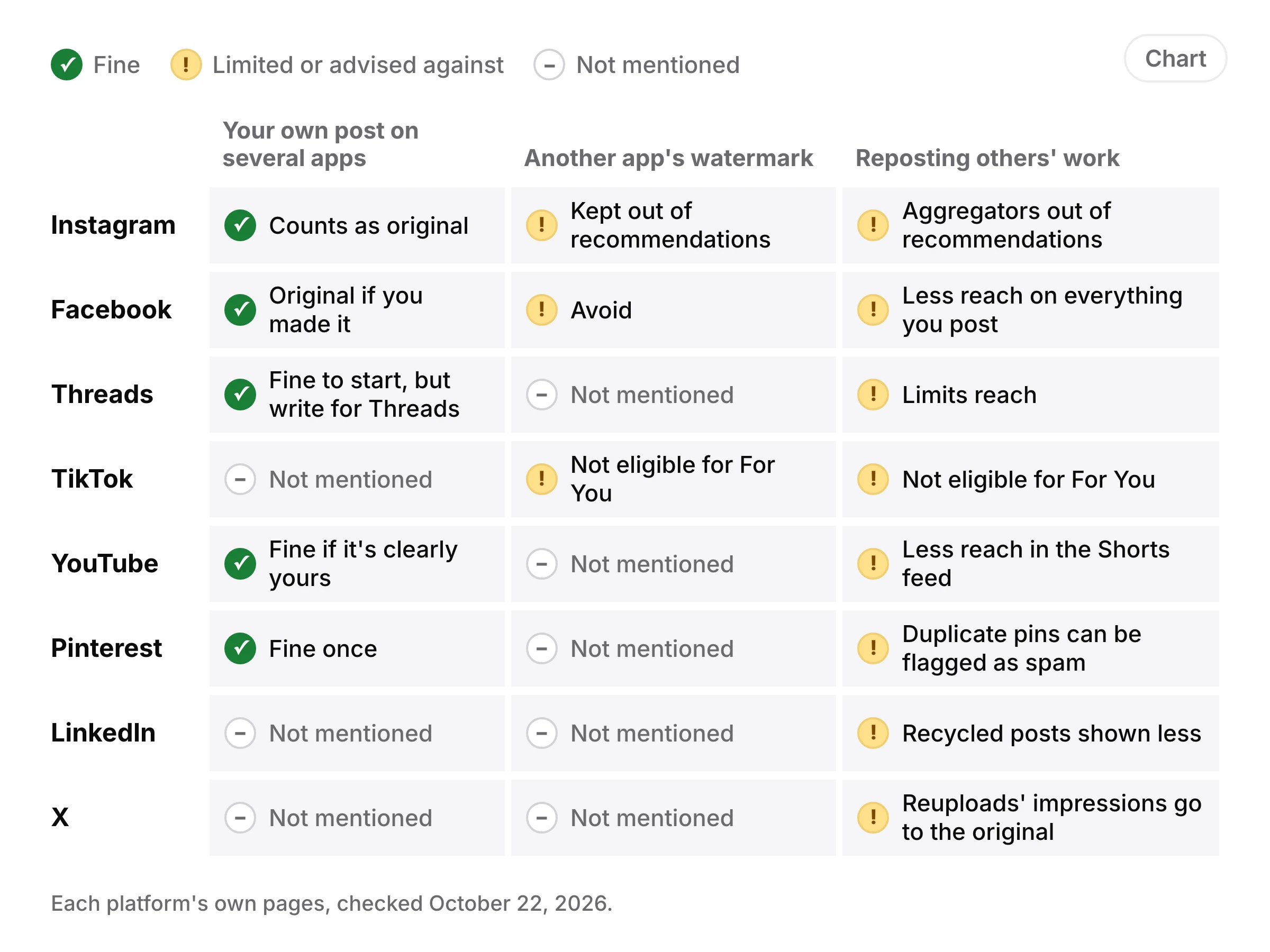
| Platform | Your own post on several apps | Another app's watermark | Reposting others' work |
|---|---|---|---|
| Counts as original | Kept out of recommendations | Aggregators out of recommendations | |
| Original if you made it | Avoid | Less reach on everything you post | |
| Threads | Fine to start, but write for Threads | Not mentioned | Limits reach |
| TikTok | Not mentioned | Not eligible for For You | Not eligible for For You |
| YouTube | Fine if it's clearly yours | Not mentioned | Less reach in the Shorts feed |
| Fine once | Not mentioned | Duplicate pins can be flagged as spam | |
| Not mentioned | Not mentioned | Recycled posts shown less | |
| X | Not mentioned | Not mentioned | Reuploads' impressions go to the original |
Instagram's 2024 originality update says a post can be recommended to people who don't follow you only if it is original, follows its guidelines and has no visible watermarks. When it finds two copies of the same content on Instagram, it recommends only the original. On April 30, 2026, Instagram extended the same rules from Reels to photos and carousels. Its definition of original covers photos and videos you took and content you designed, and nothing on either page says posting your work on another app first changes that. Adding a border, a watermark, subtitles or a credit in the caption doesn't make someone else's work yours.
On logos, Adam Mosseri said in a video in October 2024 that Instagram tries not to recommend Reels with logos from other apps, and that your own logo is fine. I'm going by Social Media Today's write-up of what he said.
Facebook's July 2025 post on unoriginal content says you can share the same content across any of your Pages or profiles. It also says to avoid visible third-party watermarks and content that looks recycled from other apps. Accounts that keep reusing other people's videos, photos or text lose monetization for a while and get less reach on everything they post. In March 2026 Meta added that content you filmed or made yourself is original, and that other people's posts copied with small edits, like an added border or a changed reel speed, are deprioritized.
Threads
Threads answers the question most directly. Its creator guide says "it's fine to cross-post content from Instagram or Facebook if you are just getting started," and that text written for Threads is the better strategy. It lists unoriginal content among the things that limit reach.
TikTok
TikTok's Community Guidelines, in force since September 24, 2026, list reused or unoriginal content posted without creative edits as not eligible for the For You feed, and give clips showing someone else's watermark or logo as the example. TikTok doesn't say whether a clip with your own Instagram handle on it counts, so don't test it. Upload the clean file.
YouTube
I found no YouTube rule about other apps' watermarks. On October 1, 2026 TeamYouTube posted that Shorts recommendations will reduce the reach of videos re-uploaded from other creators without anything added, and that channels that mostly do that will likely see less distribution in the Shorts feed. Its reused content policy is about earning money, not reach: it allows content where the creator is visible, and warns that a channel can lose monetization when YouTube can't tell you made the videos. So your own TikToks are fine on Shorts, as long as it's clear they're yours.
Pinterest's help center asks you to make your own pins with fresh content, and not to keep saving the same pins or upload what is already on Pinterest, or you may be flagged as spam. Your Instagram photo, pinned once, is new to Pinterest. Pinning that same image again and again is what to avoid. A Tailwind study of over a million pins puts a number on it: even by the 11th to 25th time a page was pinned, pins with a new image kept 64% of their original distribution, and pins reusing the same image kept 11%. That's a scheduler's own data, not Pinterest's.
LinkedIn says nothing about other apps or watermarks. In March 2026 it said it is showing fewer recycled, repetitive and low-substance posts, including videos that don't match their text.
X
X's authenticity rules use the word cross-posting differently: they ban posting the same content across several X accounts (a translated version is allowed) and posting near-identical posts again and again. Nothing about other apps. In May 2026, X's head of product Nikita Bier wrote that X had caught large accounts reuploading smaller accounts' content, and press reports say those posts' impressions now go to the original creator.
How to cross-post without losing reach
- Upload the file you edited, from your phone or your editing app, not a copy saved out of another app.
- Fit each format. Vertical 9:16 video for Reels, TikTok and Shorts, with words kept clear of each app's buttons; this guide to TikTok slides has the numbers for TikTok. The free video compressor fixes a file's size and length for each app, and what Yaybird checks on Instagram and on TikTok lists each app's limits.
- Write a caption for each platform. Threads says text written for it works better. Check how each one reads with the social media post preview.
- On Pinterest, make a new image for every pin to a page you've pinned before. What Yaybird checks on Pinterest covers titles and links.
- Make it obvious it's yours. Be on camera, or show your own brand. YouTube looks for exactly that.
- If reach drops, check your account status. Instagram's Account Status shows if your account is kept out of recommendations and lets you appeal. Facebook's Support home shows if you're at risk of recommendation or monetization penalties, and Meta says originality decisions can be appealed.
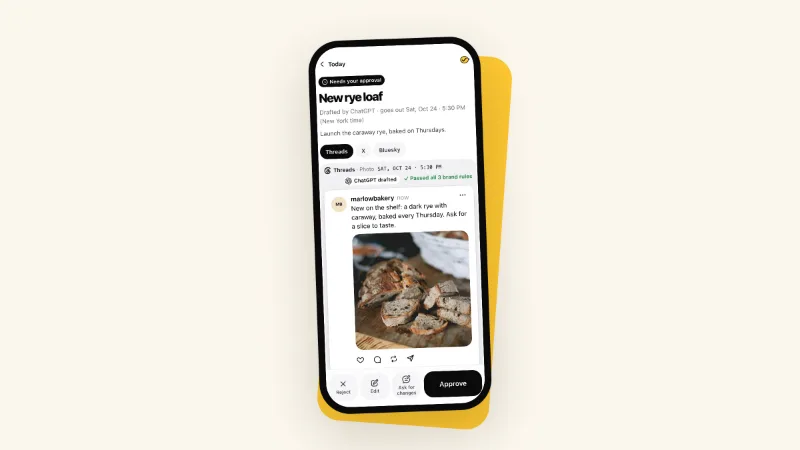
Yaybird, which I built, works the first way: it sends each platform the file you uploaded, with its own caption per platform, and never pulls a copy out of one app to post on another. It doesn't look for watermarks, so upload a clean export. And nothing your assistant drafts goes out until you approve it.
Questions
Does Instagram punish Reels with a TikTok watermark?
It doesn't take them down, but it can keep them out of recommendations. Instagram lists "no visible watermarks" among the conditions for showing a post to people who don't follow you. Your followers still see it, but it may not reach new people in Explore or the Reels tab.
Can I put my own logo on a Reel?
Adam Mosseri, who runs Instagram, said yes in an October 2024 video, as Social Media Today reported it, and that only other apps' logos keep a Reel out of recommendations. Instagram's own page just says no visible watermarks, so keep your logo small and clearly yours.
Is it OK to post the same pin twice on Pinterest?
Pinterest warns about doing it repeatedly. Its help center says saving the same pins again and again, or uploading what is already on Pinterest, can get you flagged as spam and briefly blocked from making pins. For a page you've pinned before, make a new image.
Does it matter if I post to every app at the same time?
None of the platforms say so. Some guides claim posting everywhere at once hurts, but none I read gives a source. Post when each audience is online, which your own analytics show best.
Drafted with AI from our research, fact-checked against the platforms' docs and our code, and reviewed by Hamza.

About the author
I build Yaybird, where your AI writes the posts and you approve them on your phone.