YouTube Short uploading as a video? Why, and how to fix it
By HamzaPublished
In short
YouTube makes a video a Short only when the file is 3 minutes or less and square or vertical. If yours went up as a regular video, it is almost always one of three things, a file over 3:00, a frame wider than square (often a vertical clip inside a 16:9 export), or an upload from before October 15, 2024. There is no Shorts button or #Shorts tag that overrides it, so fix the file and upload it again.
YouTube Short uploading as a video: why it happens
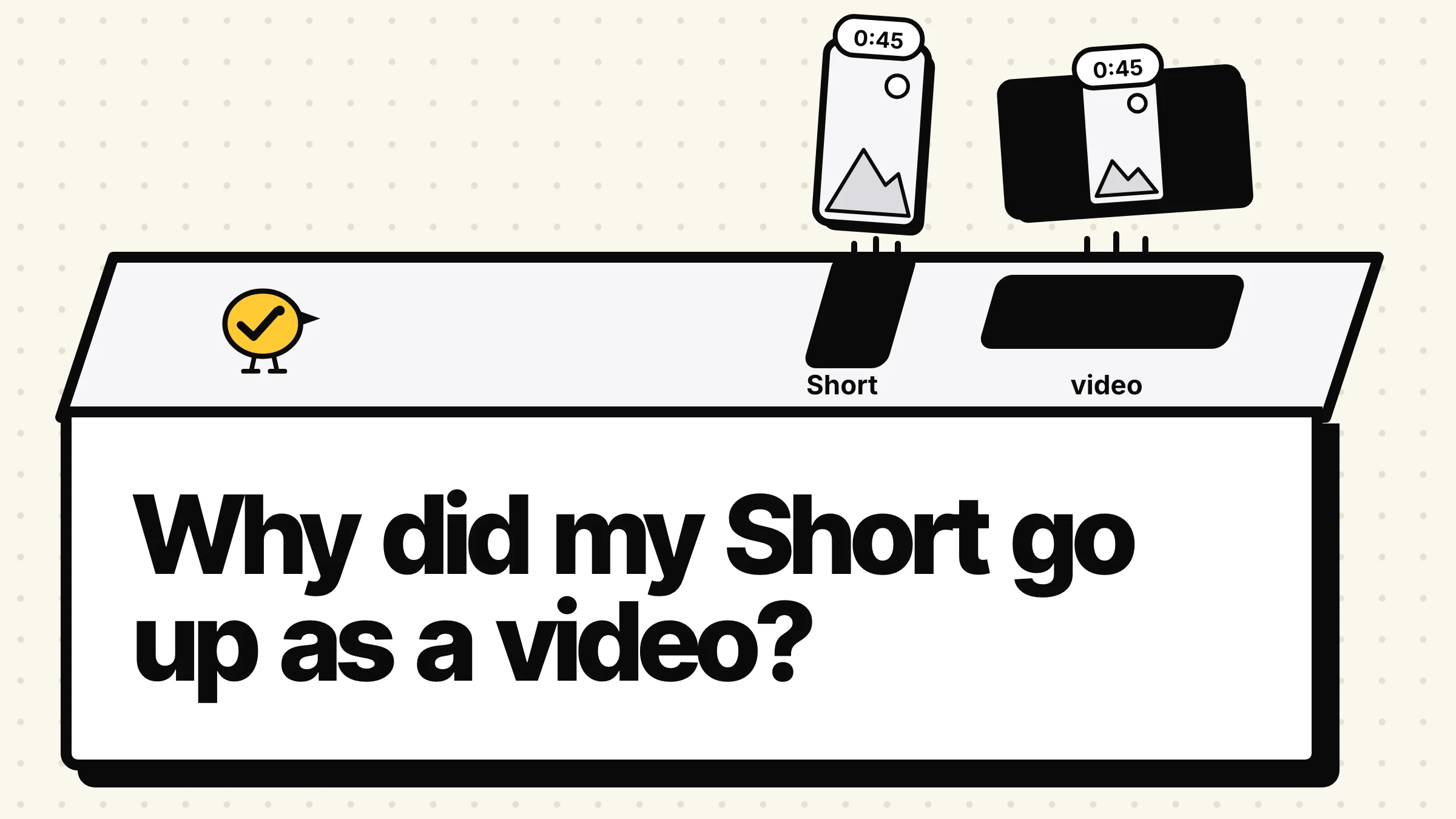
A YouTube Short uploading as a video instead means the file broke one of YouTube's two rules. YouTube decides from the file itself: a video of up to 3 minutes with a square or vertical frame becomes a Short, and anything longer or wider becomes a regular video. There's no Shorts switch to flip, so the fix is always the file.
YouTube's help page on three-minute Shorts says videos uploaded on or after October 15, 2024 with "a square or vertical aspect ratio up to three minutes in length will be categorized as Shorts". Its upload page asks for the same two things: up to 3 minutes, square or vertical.
A lot of guides still say 60 seconds, and some say square videos don't count. Both are out of date. The limit has been 3 minutes since October 2024, and square counts.
The three reasons, and the fix for each
| What went wrong | How to spot it | Fix |
|---|---|---|
| Longer than 3 minutes | The length shows 3:01 or more | Trim to 3:00 or less and upload again |
| Wider than square | The file is 1920 x 1080, even if the picture looks vertical | Export at 1080 x 1920 (or 1080 x 1080) and upload again |
| Uploaded before October 15, 2024 | An old video between 1 and 3 minutes | It stays a regular video; YouTube doesn't move old uploads |
Longer than 3 minutes. A second over is enough. YouTube's rule is "up to three minutes", so a 3:05 clip is a regular video. Trim it a little under 3:00 so a rounding in your editor doesn't push it over. In the YouTube app, a square or vertical video over 3 minutes gets an Edit into a Short button that trims it for you.
Wider than square. This is the one that catches people. YouTube reads the shape of the file, not the shape of what you see. A vertical phone clip dropped into a 16:9 project and exported with black bars on the sides is a 16:9 video, so it goes up as a regular one. Check the export settings: the file itself has to be 1080 x 1920 (9:16) or 1080 x 1080 (1:1). A 4:5 video is taller than square, so it counts too.
Uploaded before October 15, 2024. Videos longer than a minute from before the change stay regular videos. YouTube's help says they "will remain the same, as a long-form video".
Once a video is up, there's no setting in YouTube Studio to change its type. Fix the file, upload it again, and set the old copy to private or delete it so you don't have both.
What doesn't decide it
- The upload button. On a computer there's no separate Shorts upload. YouTube's steps are YouTube Studio, Create, Upload videos, and the file decides.
- #Shorts in the title. It's not part of the rule. A vertical 40-second video becomes a Short with or without it.
- Your scheduler. There's no Shorts option in YouTube's upload API. Zernio, the service Yaybird publishes through, says in its YouTube docs that "YouTube detects Shorts on its own" and there's "no post type or flag to set". So a scheduler that offers a "post as Short" choice can't force it on a 16:9 file.
To check what you got, open YouTube Studio's Analytics and the Content tab. Its Shorts tab lists only the uploads YouTube counted as Shorts.
One more catch for Shorts over a minute
The longer limit comes with a music rule. YouTube says a Short over one minute with "an active copyright claim of any type" is blocked everywhere: it can't be played or recommended. A 2-minute Short with a claimed song can end up as neither a Short nor a video anyone sees. Shorts of a minute or less are not affected. To be safe, use songs from the Shorts audio library within their time limit (most songs up to 90 seconds), or royalty-free music from the YouTube Audio Library, which YouTube says won't get a Content ID claim.
And 3 minutes is a ceiling, not a target. A study of 108,138 Shorts by Quso (a video tool, updated June 2026) found 11 to 20 seconds earned the most median views, and Shorts over 90 seconds the fewest.
How Yaybird handles it
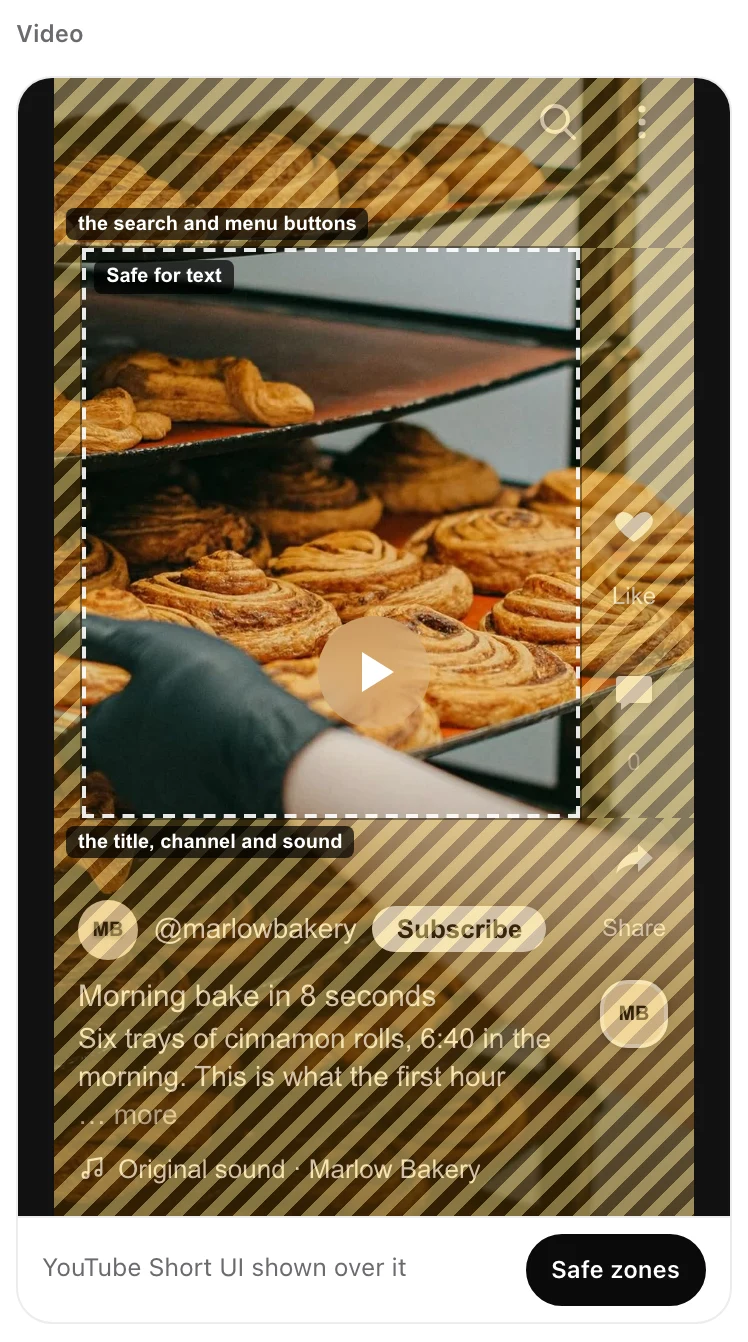
When you post a Short with Yaybird, it sends the file as it is and YouTube makes the call, like any other upload. Yaybird's checks treat a 9:16 video of 3 minutes or less as a Short: the preview's Safe zones toggle shows where YouTube's buttons sit, and a link in the description gets a warning, since links in Shorts descriptions can't be tapped. A square or 4:5 video doesn't get those Shorts notes yet, even though YouTube will make it a Short. And nothing an AI app drafts goes out until you approve it from your phone.
Posting the same vertical video to TikTok and Reels too? Here's what cross-posting does to reach.
Questions
Does adding #Shorts make a video a Short?
YouTube's help doesn't list it. Its rule today is length and shape only, 3 minutes or less and square or vertical, so a vertical video within that becomes a Short without the tag, and the tag won't rescue a wide or long one.
Can a square video be a YouTube Short?
Yes. YouTube's help says square or vertical videos of up to three minutes are Shorts. Only a frame wider than square, like 16:9, keeps a short video out.
Can I turn a long video into a Short?
In the YouTube app, tap Create, then Upload a video, pick the square or vertical video and tap Edit into a Short. It trims the video to 3 minutes or less and uploads that part as a Short.
How do I stop a vertical video from becoming a Short?
Make it longer than 3 minutes, or export it in a wide frame such as 16:9. YouTube's own help gives the wide frame as the way to keep a video out of Shorts.
Drafted with AI from our research, fact-checked against the platforms' docs and our code, and reviewed by Hamza.

About the author
I build Yaybird, where your AI writes the posts and you approve them on your phone.